0 Aleph Void

// Open Source — Audio / Reverse Engineering & Synth Plugin Development

Morphix

A polyphonic morphing wavetable synthesizer plugin (AUv3 / VST3 / Standalone) — a from-scratch reconstruction of the lost 2005 FSR Morphite, with its architecture, parameters, and complete 64-patch factory bank recovered from the original binary and rebuilt with JUCE.

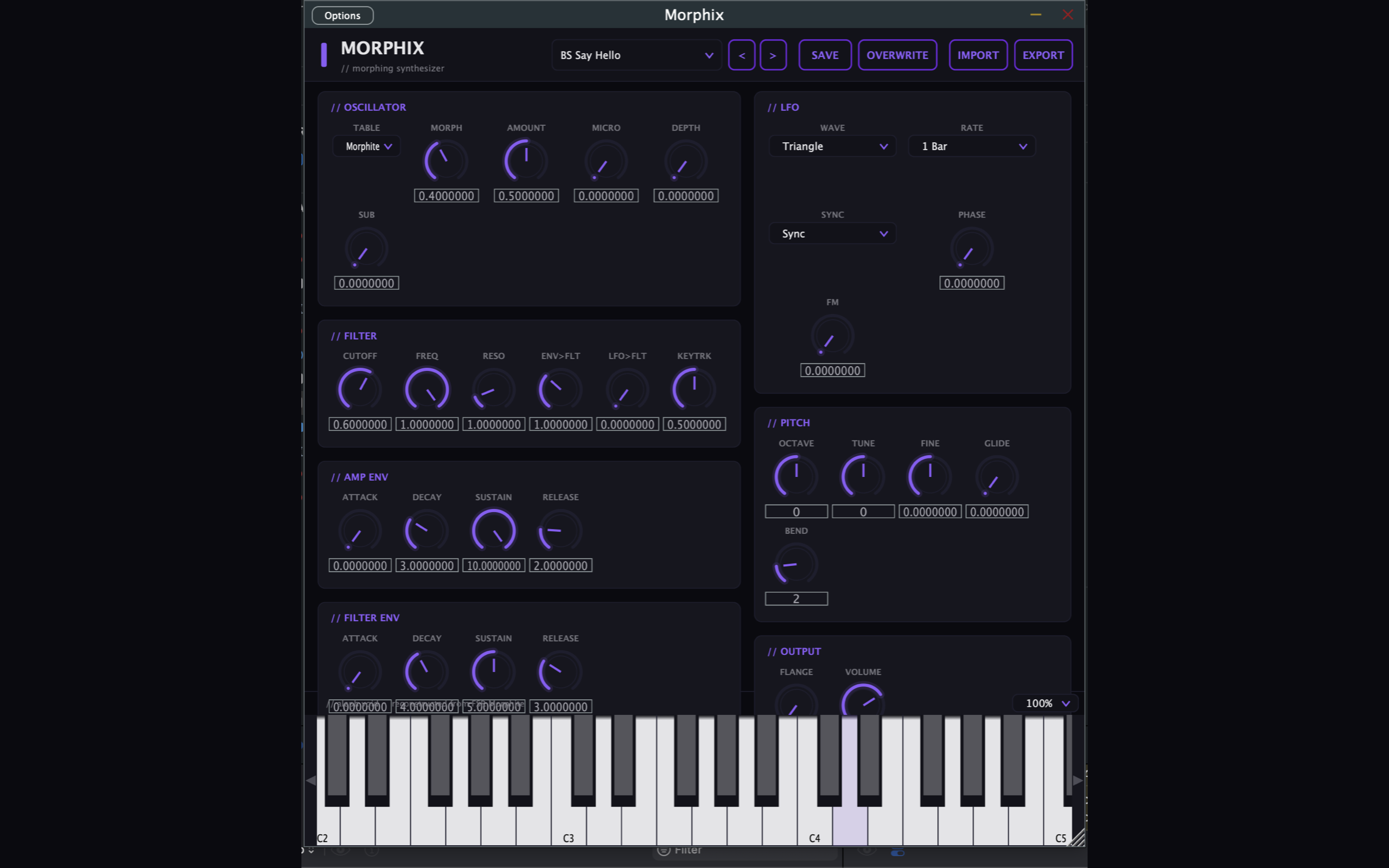
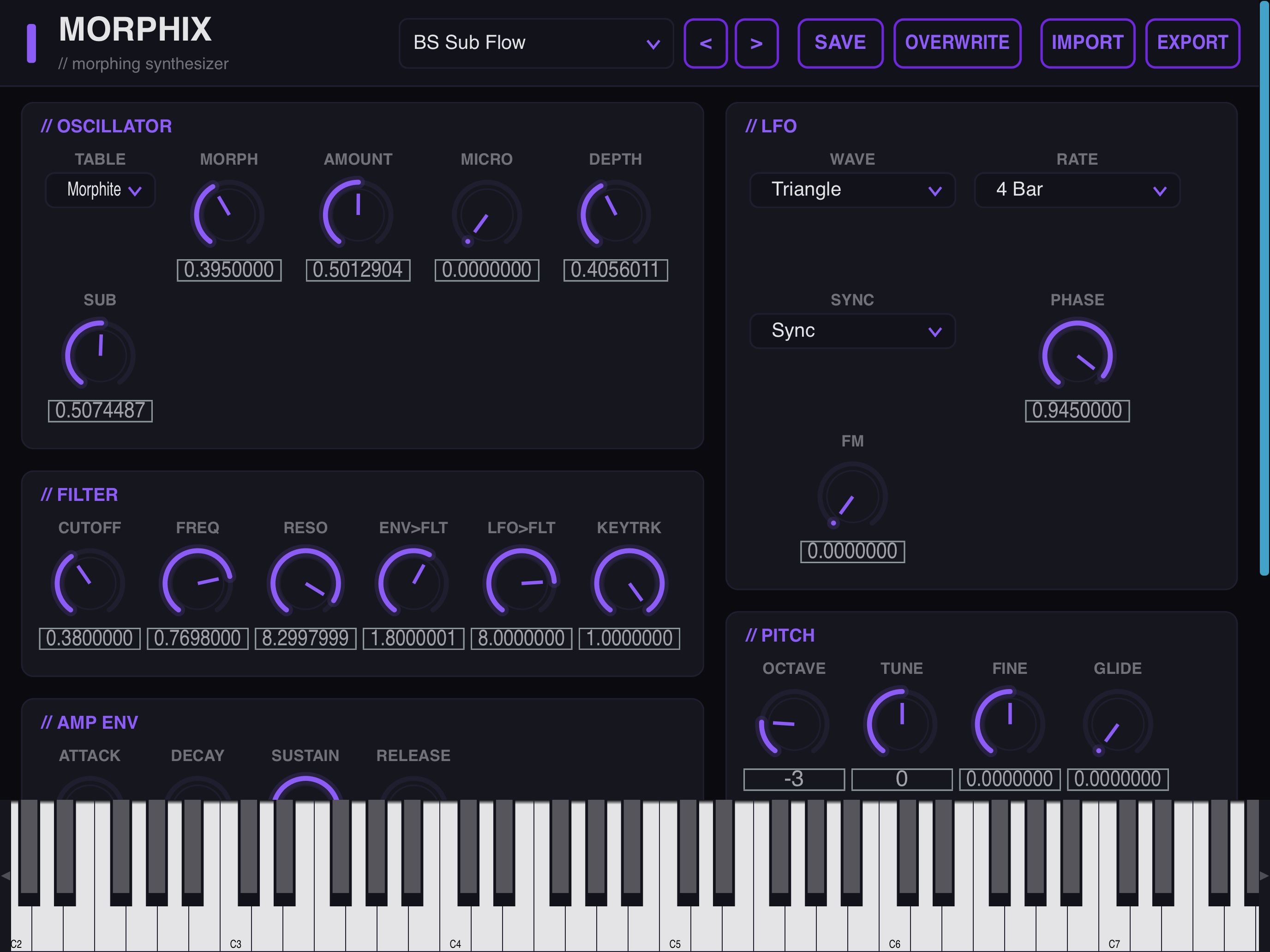
The FSR Morphite was a 2005 Windows VST whose source code was lost. Morphix rebuilds it from scratch: its signal path, all 29 parameters, and the full 64-patch factory bank were reverse-engineered from the original binary and re-implemented with JUCE as a modern, multi-architecture plugin. The voice is a single morphing wavetable oscillator — one morph control sweeps continuously through the table, smoothly blending one waveform into the next — feeding a state-variable filter with its own ADSR, an amp VCA, and a stereo flanger on the output, with a tempo-syncable LFO routable to morph and cutoff. The recovered factory bank ships as standard Steinberg .vstpreset files (also exposed as host programs), and users can import and export their own from the UI. Morphix does no networking and collects nothing — no account, no telemetry, everything runs locally.

64
Factory Presets
29
Parameters
4
Platforms
0
Data Collected
C++ JUCE AUv3 VST3 Standalone Wavetable Synthesis DSP Binary Reverse Engineering

Key Features

Morphing Wavetable Oscillator
One morph control sweeps the table
State-Variable Filter
Cutoff, reso, filter env, key-track
Dual ADSR & Tempo LFO
Amp + filter envelopes · synced LFO
Stereo Flanger
Width and motion on the output
64 Recovered Presets
.vstpreset files · import / export
AUv3, VST3 & Standalone
Logic, GarageBand, Ableton, any host

Platforms: macOS (universal arm64 + x86_64) · iOS / iPadOS (AUv3, iOS 13+) · Windows (x64 + ARM64) · Linux (x86_64 + aarch64). An independent reconstruction — the original FSR Morphite is referenced only as the historical source of the recovered design.

// Screenshots — macOS (AUv3 / VST3 / Standalone)

Morphix full plugin window on macOS showing the oscillator, LFO, filter, envelopes, pitch, and output sections

// Screenshots — iOS / iPadOS

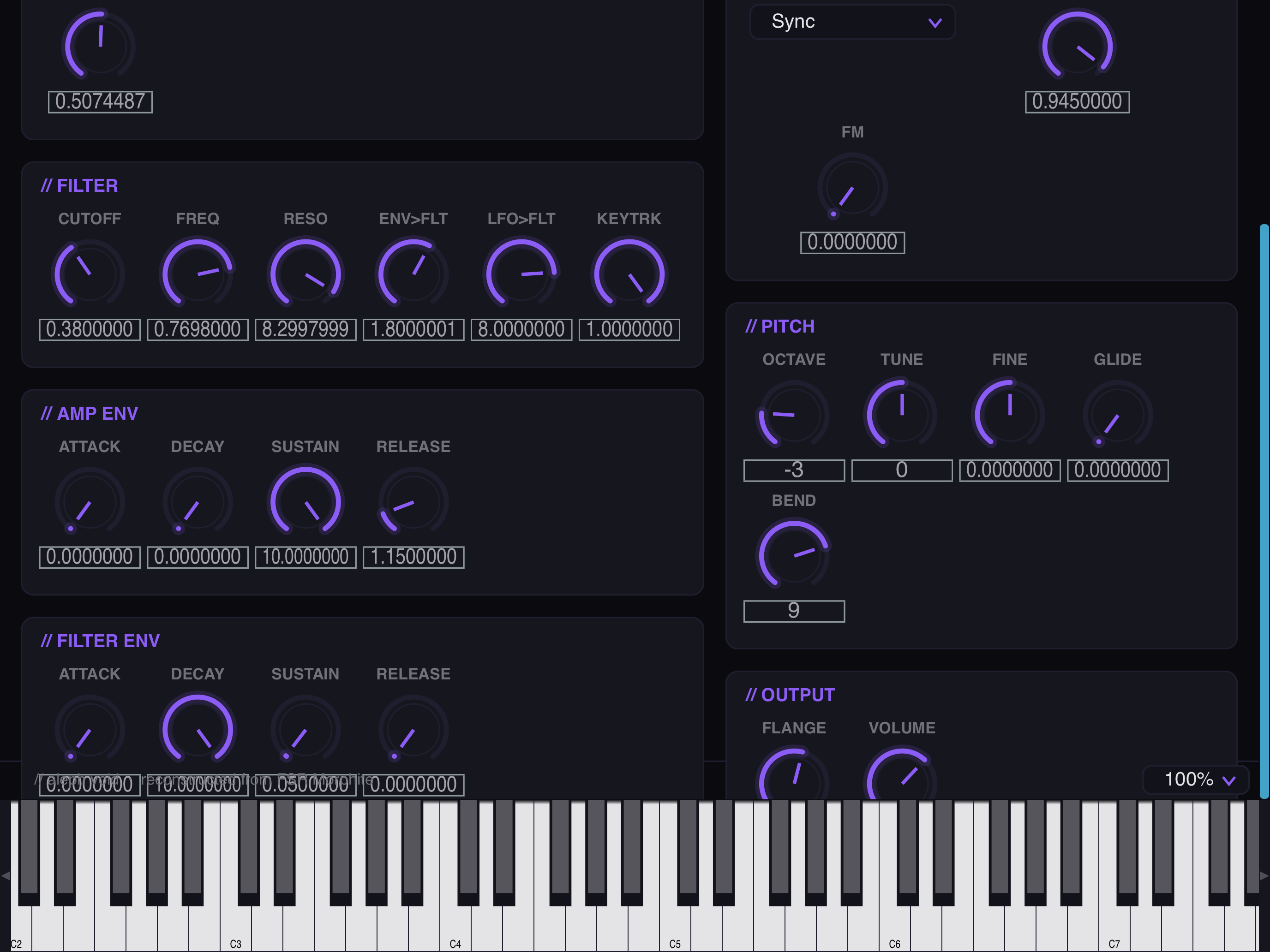
Morphix on iPad showing the oscillator, LFO, filter, and pitch sections
Morphix on iPad showing the amp and filter envelopes, pitch, and output sections over the keyboard

// Open Source — Audio / Reverse Engineering & Driver Development

Aleph Virux

A userspace driver and synth plugin that brings the Access Virus TI (Snow, Desktop, Polar) back to life on Apple Silicon Macs and Android — no kext, no DriverKit, the original control surface as an AUv3 / VST3.

Access shipped the Virus TI with an x86 kernel extension that never made the jump to Apple Silicon, stranding the hardware on legacy machines. Aleph Virux rebuilds the entire stack from scratch in userspace — the whole USB stack talks to the device over IOUSBLib, so nothing loads into the kernel and there's no system extension to approve or reboot to install. A lightweight container app claims the Virus over USB and keeps its keepalive stream alive; the AUv3 extension and VST3 plugin then connect to it over XPC / IPC, so a single USB device can drive multiple plugin instances without a kernel driver in the middle. The on-screen editor — oscillators, filters, LFOs, the modulation matrix, arpeggiator, and the full effects section — is sourced from the documented page A/B parameter model, with multi-channel USB audio captured through CoreAudio and full note / CC / parameter control over the device's native vendor protocol. The macOS VST3 build passes the Steinberg SDK validator 47/47. Built clean-room from a reverse-engineered understanding of the protocol, with no vendor binaries required; the macOS driver and plugins do no networking and collect nothing.

47/47
VST3 Validator
2
Platforms
0
Kernel Extensions
3
Virus TI Models
C++ Swift IOUSBLib Core Audio AUv3 VST3 XPC / IPC USB Reverse Engineering Kotlin

Key Features

Userspace USB Driver
IOUSBLib · no kext, no DriverKit
Container + Plugin over IPC
One device, many plugin instances
AUv3 & VST3
Logic, GarageBand, Ableton Live, any host
Original Control Surface
Osc, filter, LFO, matrix, arp, FX
Audio & MIDI Over USB
CoreAudio capture · vendor control protocol
Clean-Room Protocol
No vendor binaries · no data collection

Platforms: macOS on Apple Silicon (AUv3 / VST3) · Android with USB host vendor access  —  requires an Access Virus TI Snow, Desktop, or Polar over USB. No iOS build — iOS forbids the vendor USB access this needs.
// Screenshots — macOS (AUv3 / VST3)

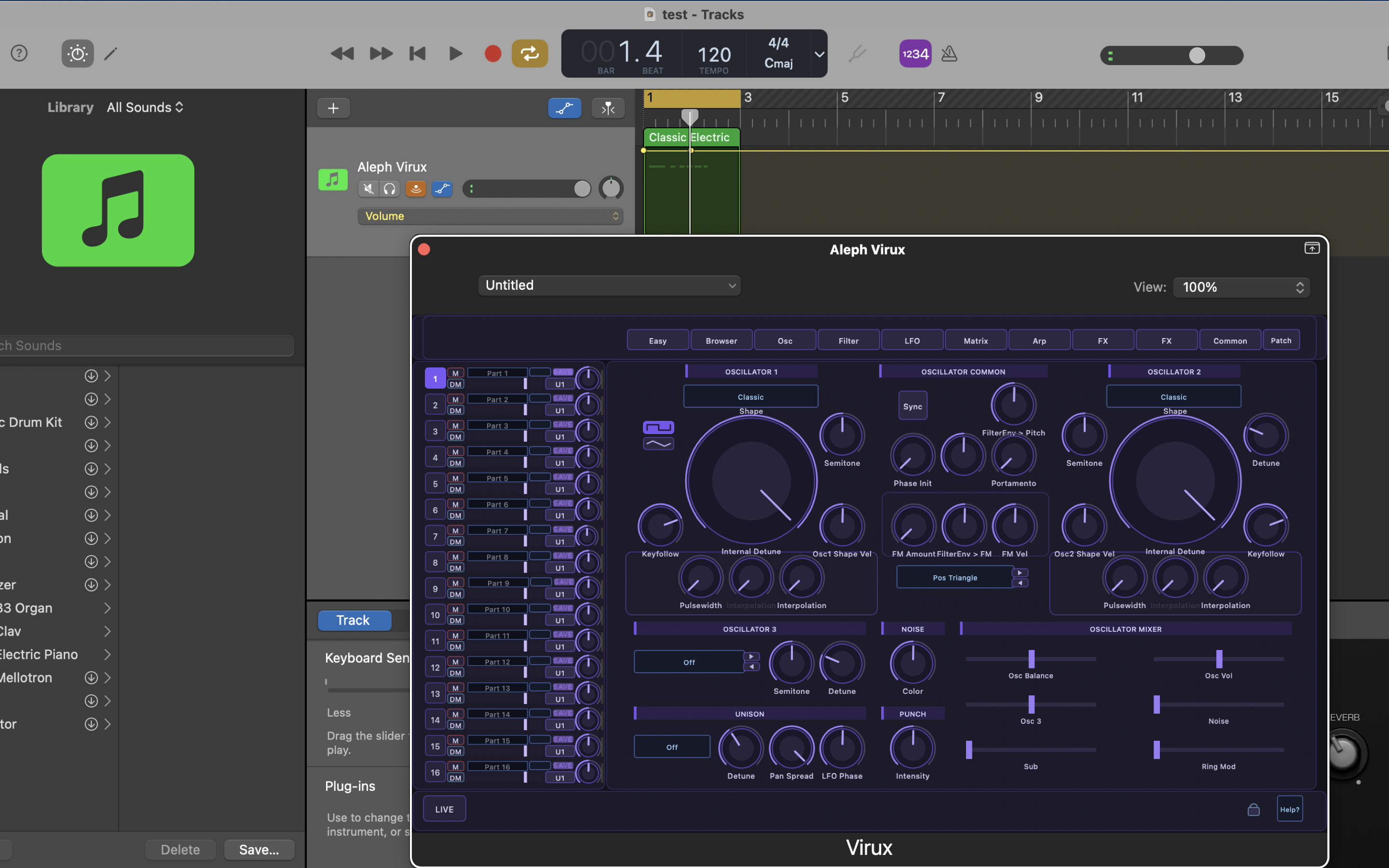
Aleph Virux oscillator edit page running as an AUv3 plugin on macOS
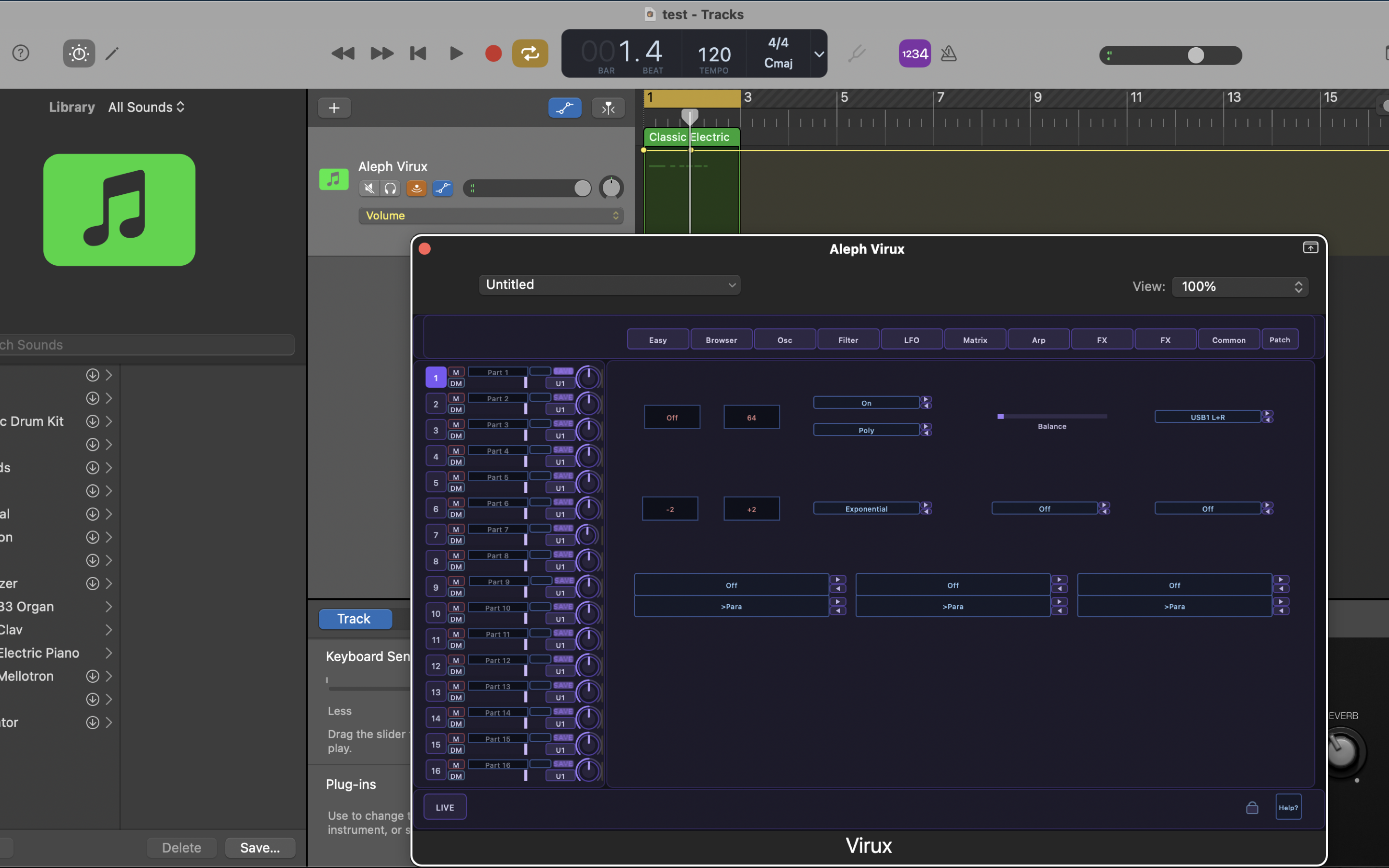
Aleph Virux modulation matrix page on macOS
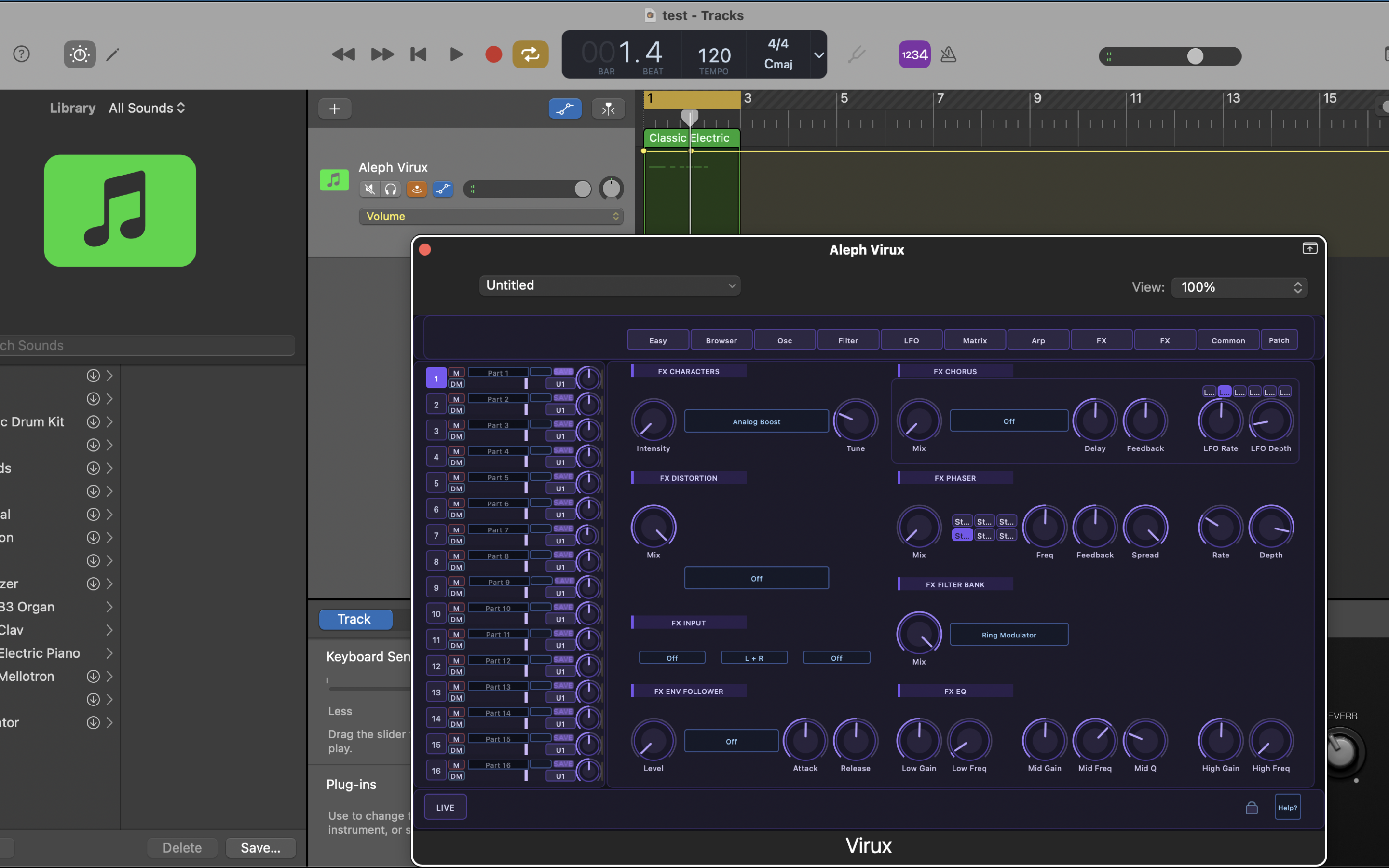
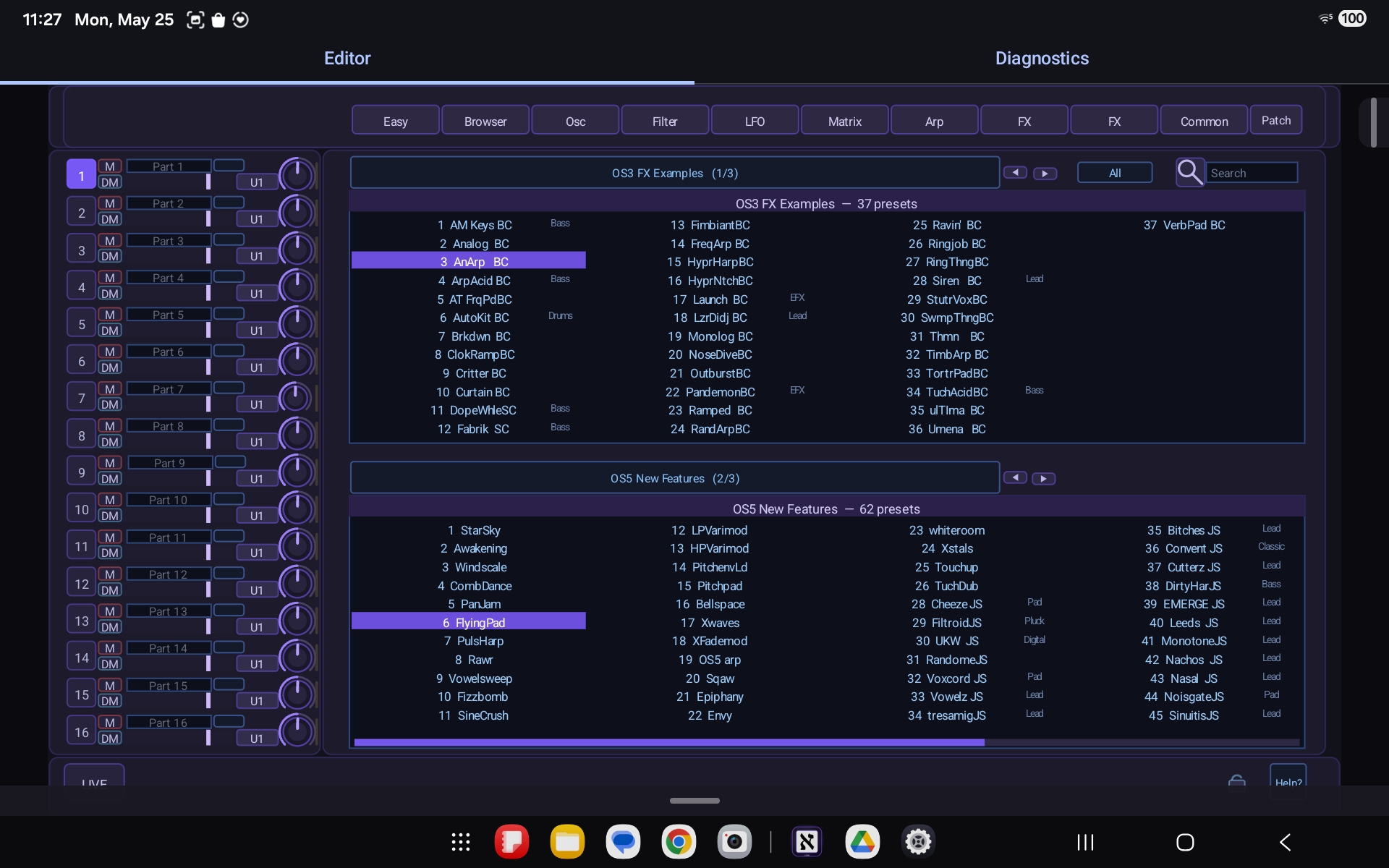
Aleph Virux effects section on macOS

// Screenshots — Android

Aleph Virux preset browser in the Android control app
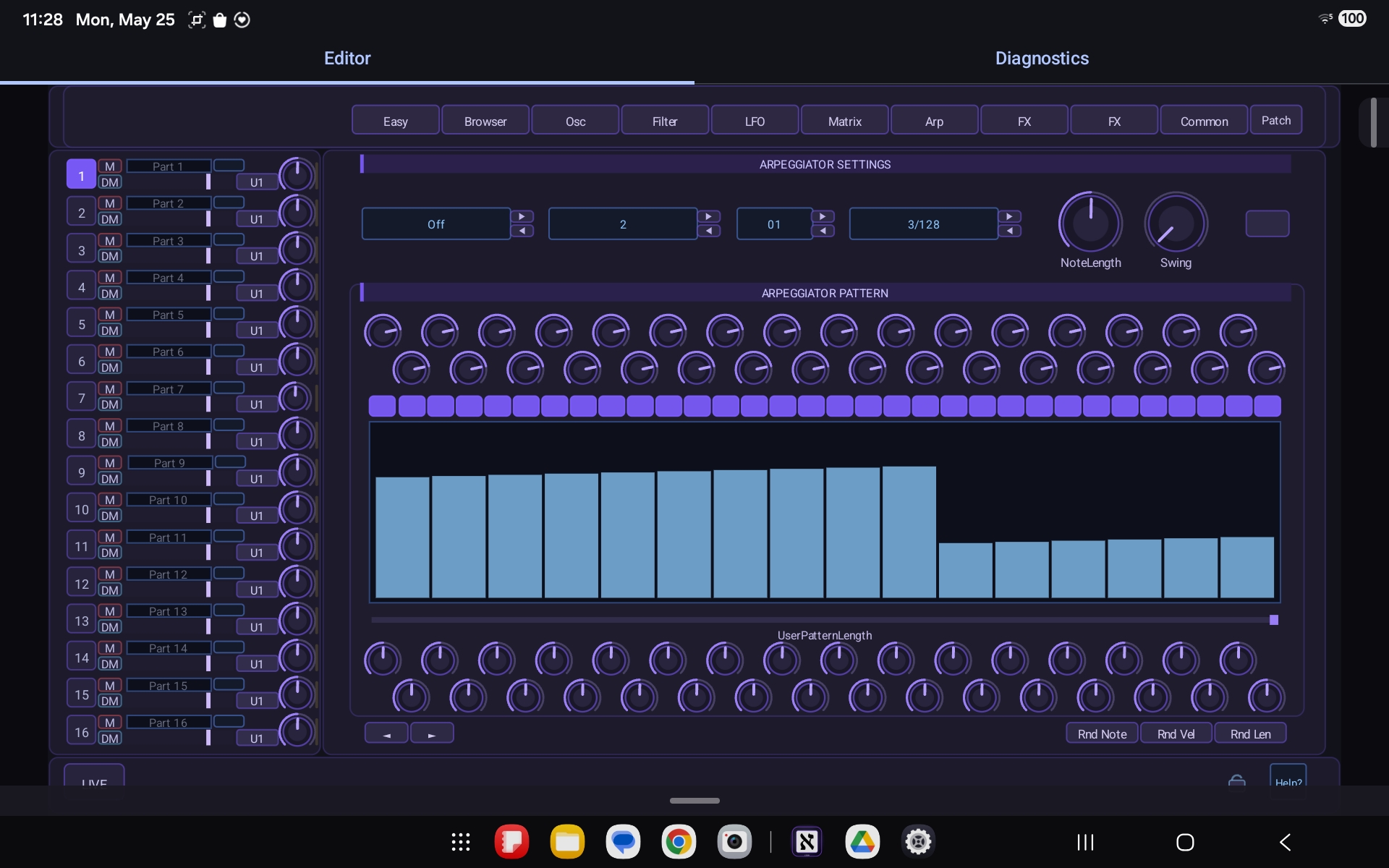
Aleph Virux arpeggiator page on Android
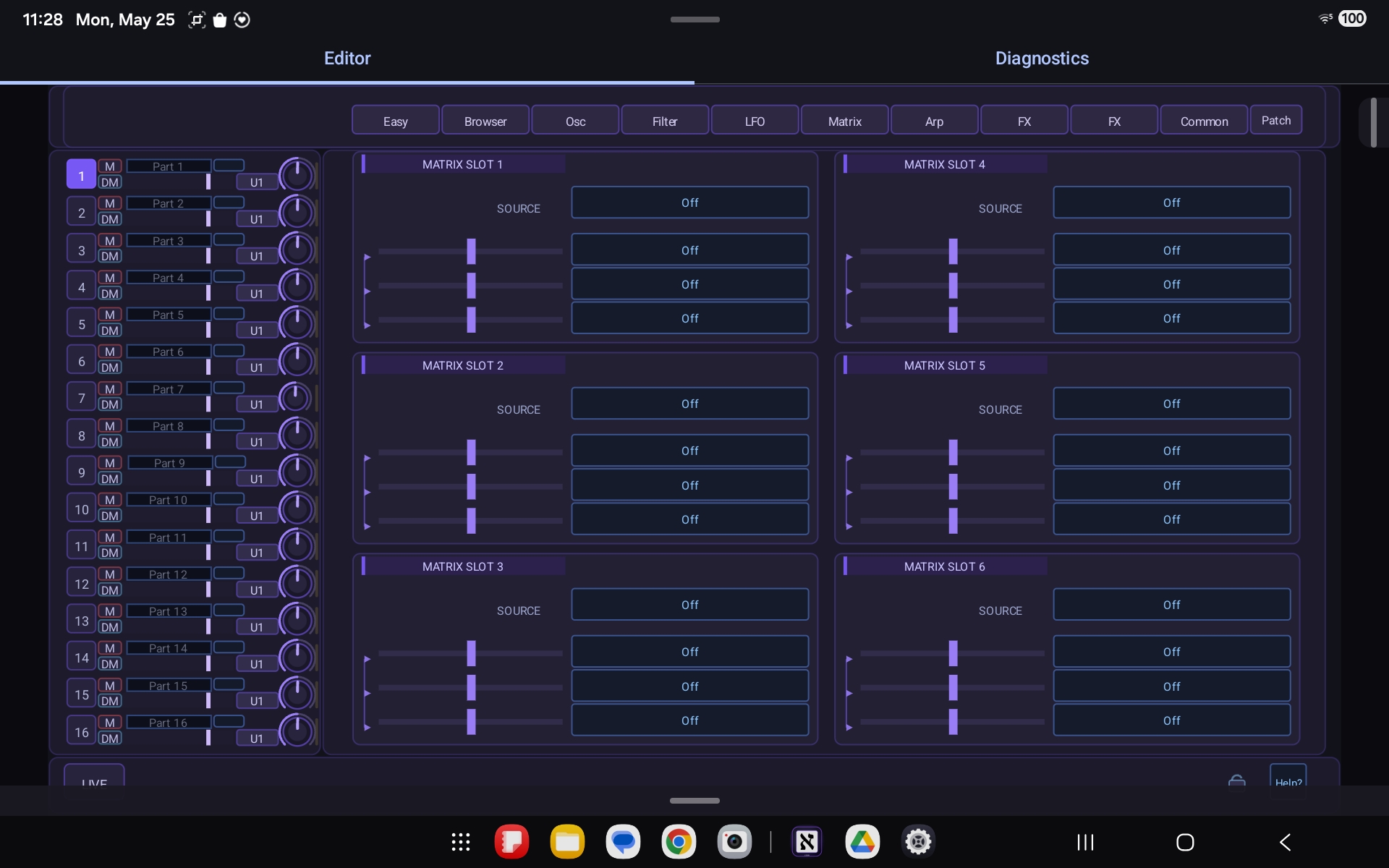
Aleph Virux modulation matrix page on Android

// Commercial — Mobile / Audio & Modular Synthesis

CVOsc

A multichannel oscilloscope for iOS and Android that turns a phone or tablet plus a DC-coupled audio interface into a real-time monitor for control voltage and audio signals from Eurorack and modular synth systems.

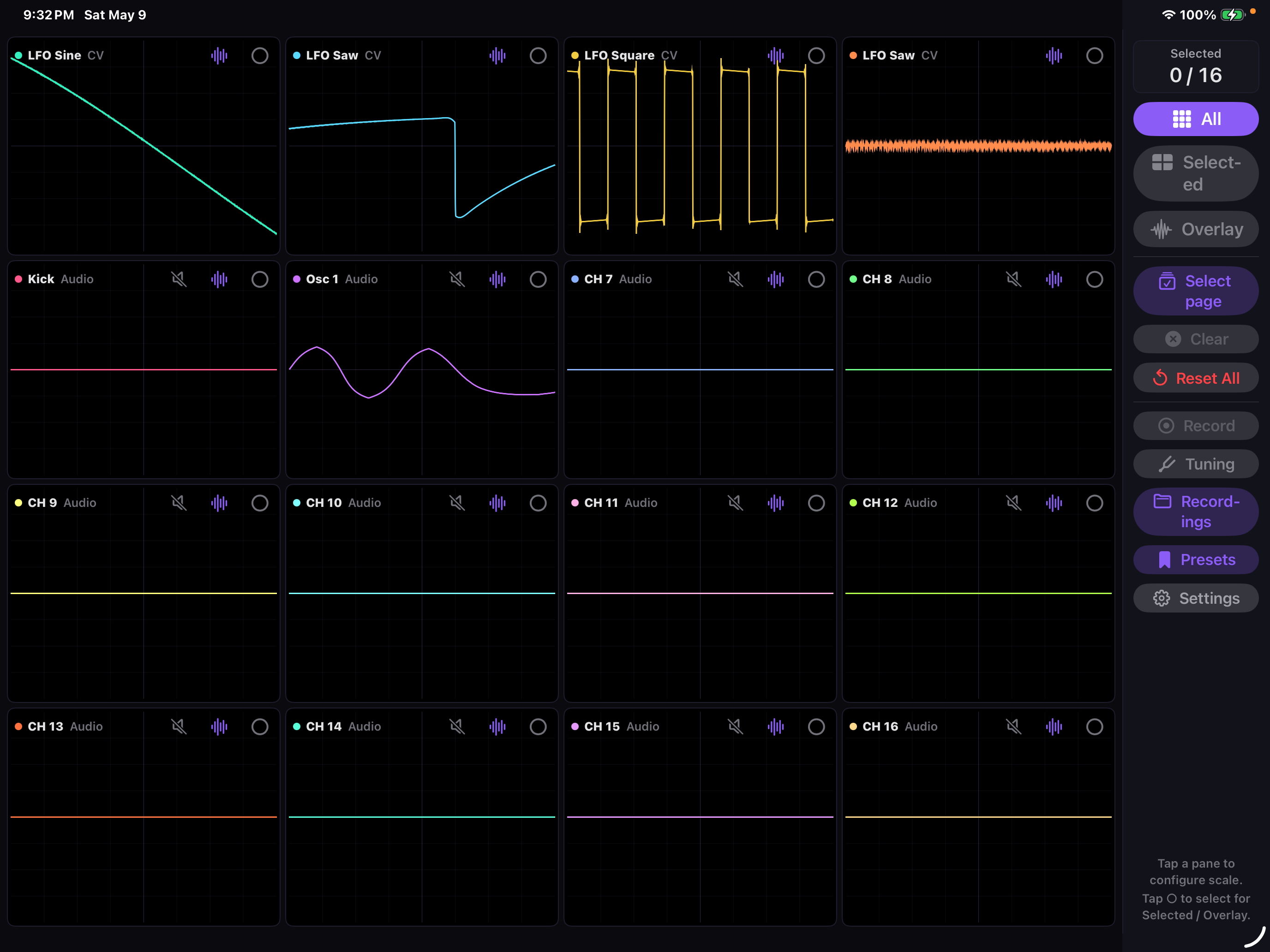
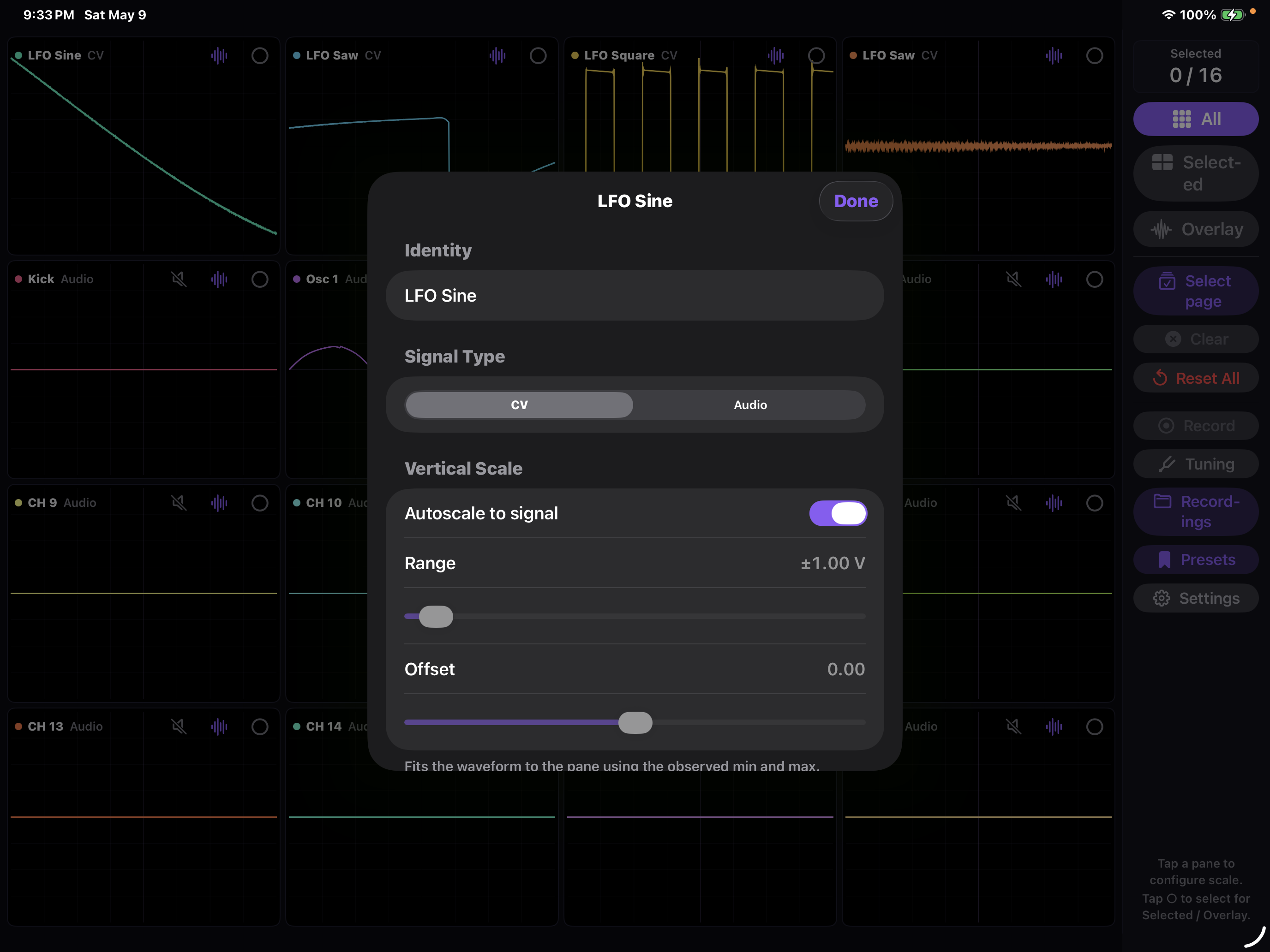
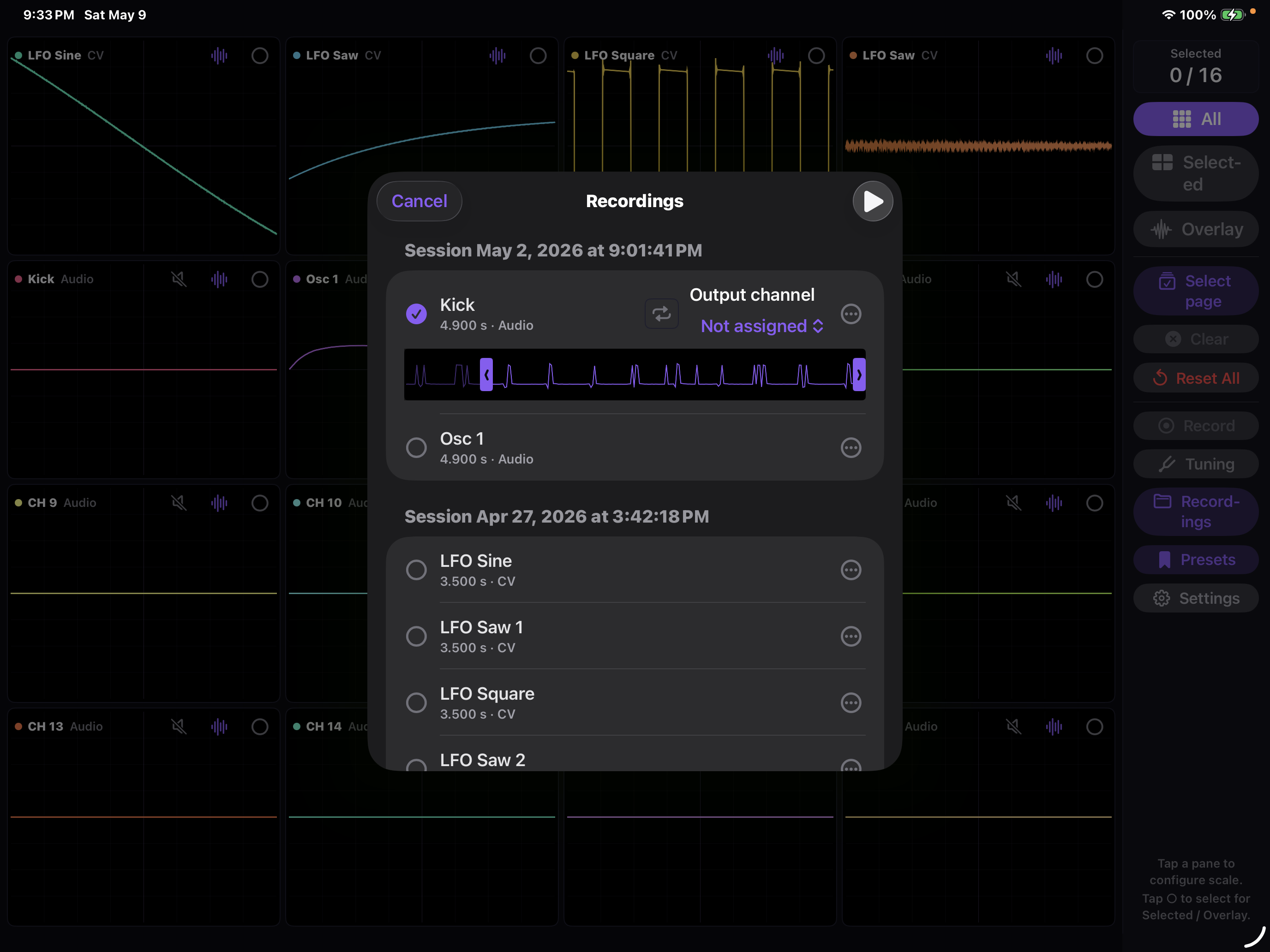
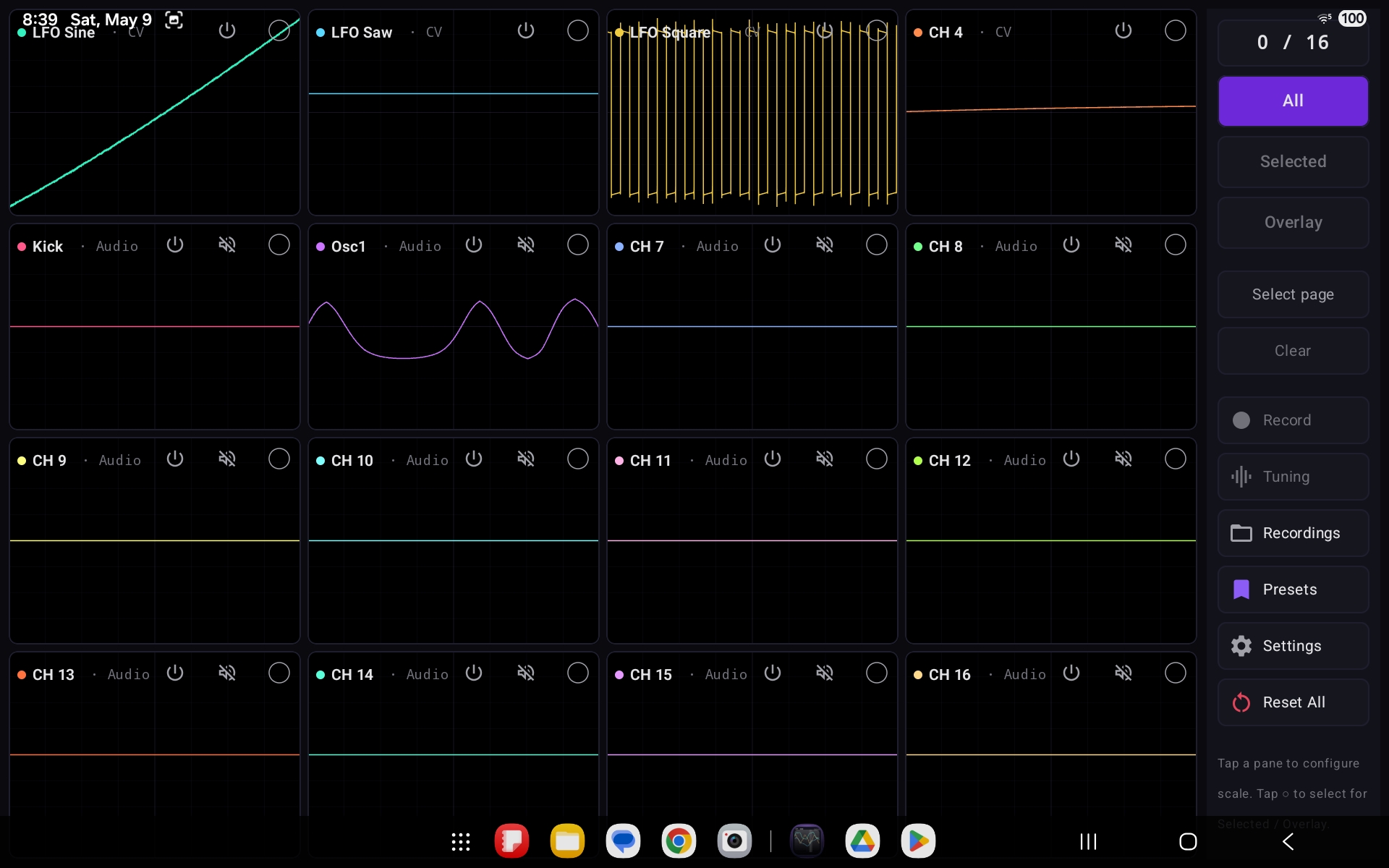
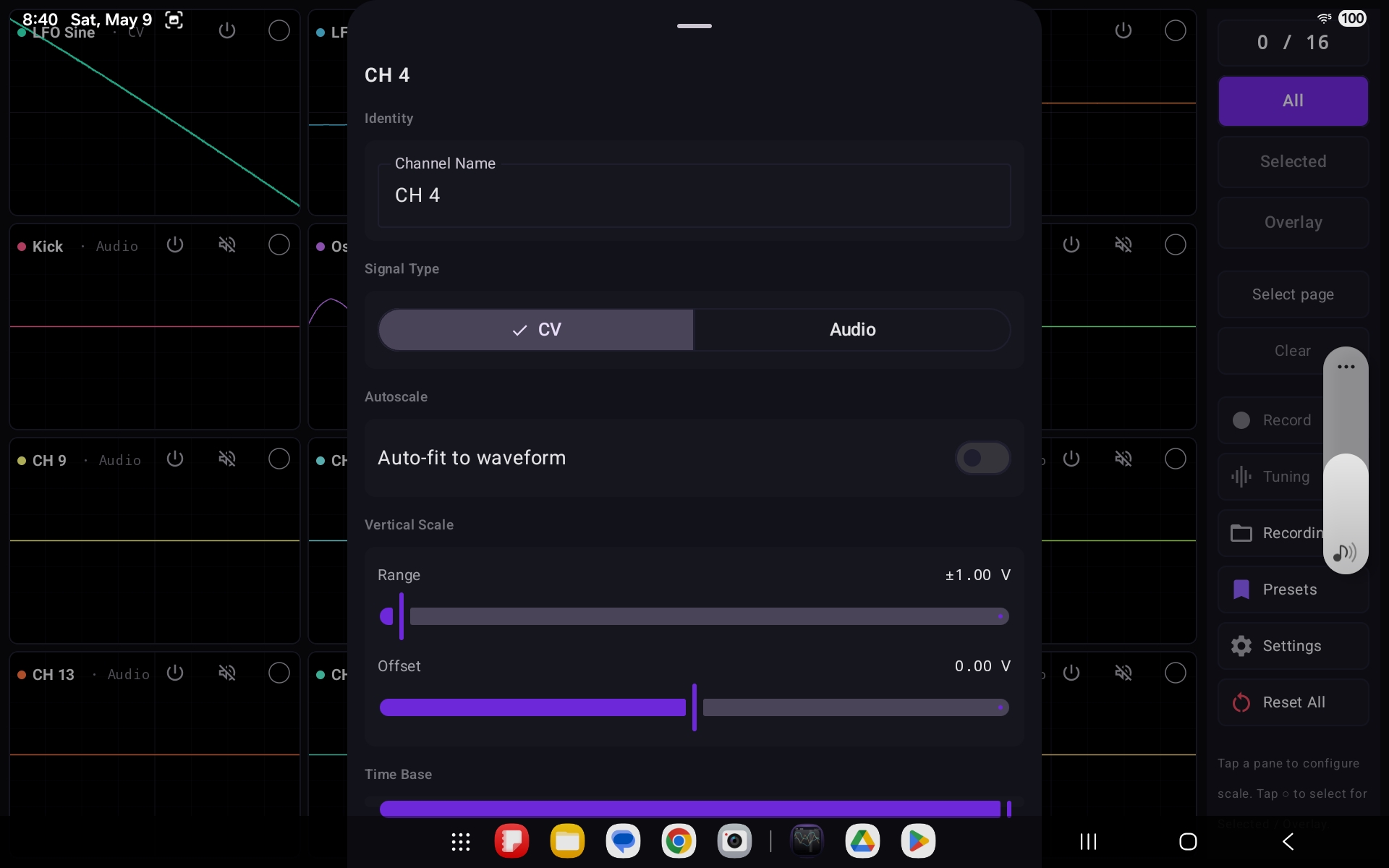
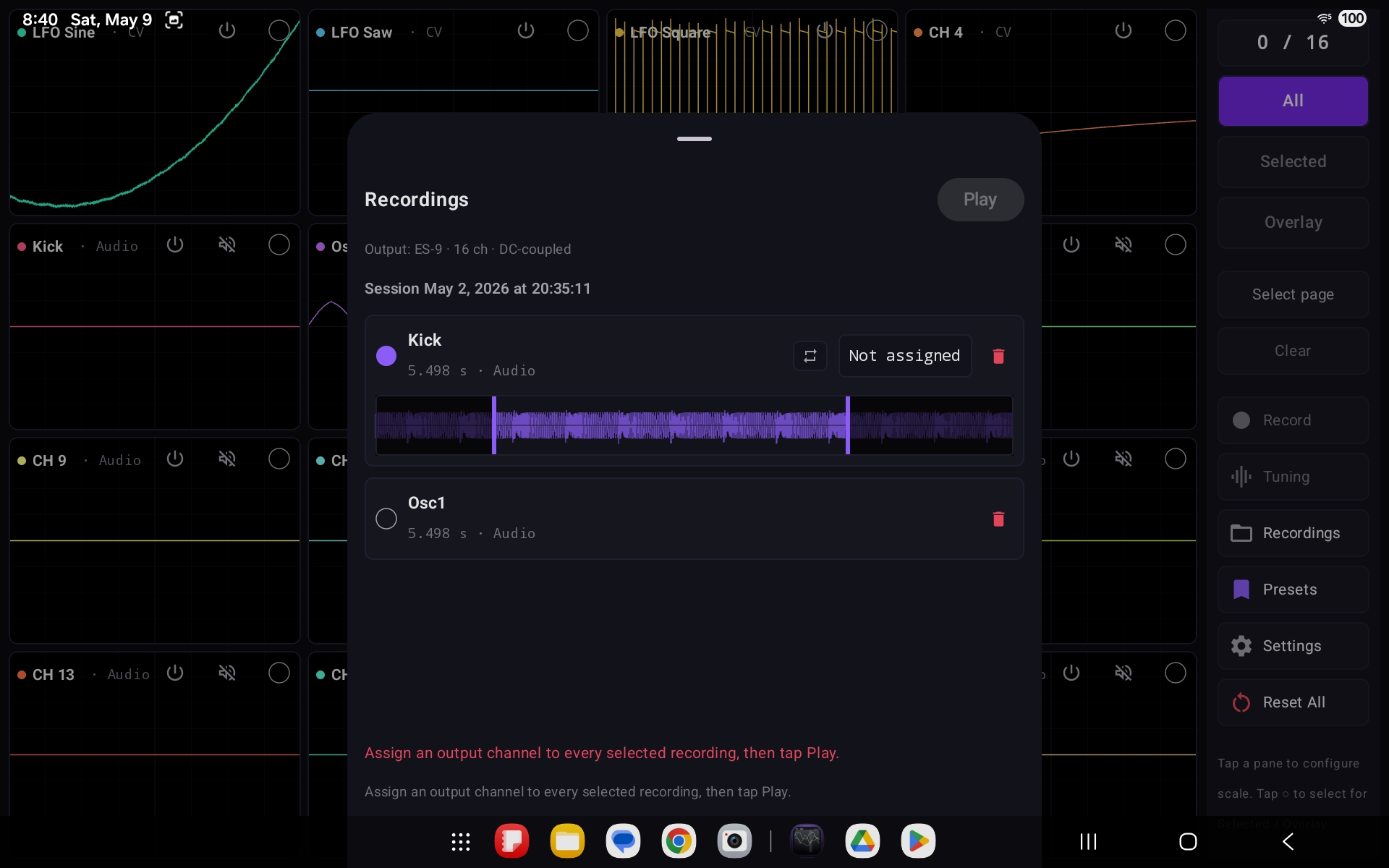
CVOsc streams every input on a DC-offset-capable, class-compliant USB audio interface simultaneously — up to 16 channels at once — rendering each as its own live oscilloscope pane in a grid that adapts to the device (4×4 on tablets, 2×2 on phones). Each channel can run in either CV or audio-rate mode with independent vertical scale, DC offset, and time-base controls, plus autoscaling that fits the waveform to its observed range. A live tuning view uses autocorrelation for audio signals and V/oct mapping for CV, so pitched oscillators and control voltages can be read off directly. Selected channels can be captured to per-channel CAF / WAV files with a JSON sidecar and played back — with hardware-level DC-safety validation before any output is enabled, drawn from a built-in catalog of known DC-coupled interfaces. All processing and every recording stay local to the device; no data is collected.

16
Input Channels
2
Platforms
3
View Modes
2
Signal Modes
Swift SwiftUI Core Audio Kotlin Jetpack Compose AAudio USB Audio Class DSP / Autocorrelation

Key Features

16-Channel Monitoring
Adaptive grid · 4×4 tablet, 2×2 phone
CV & Audio Modes
Per-channel signal-type handling
Per-Channel Scaling
Range, DC offset & time base
Live Tuning
Autocorrelation · V/oct mapping
Recording & Export
Per-channel CAF / WAV + JSON sidecar
DC-Safe Playback
Hardware validation before output

Platforms: iOS 26.4+ (iPad & iPhone) · Android 7.0+ (SDK 24)  —  requires a class-compliant USB audio interface; DC-coupled interface needed for CV work

// Screenshots — iOS

CVOsc on iPad showing a 16-channel oscilloscope grid with CV and audio waveforms
CVOsc iOS per-channel configuration sheet with signal type, range, and offset controls
CVOsc iOS recordings panel listing captured per-channel sessions for playback

// Screenshots — Android

CVOsc on Android showing the 16-channel oscilloscope grid and control sidebar
CVOsc Android channel settings with CV/Audio signal type, autoscale, range, offset, and time base
CVOsc Android recordings panel showing an ES-9 DC-coupled output and captured channels

// Open Source — Software Engineering

WASMASM

A browser-based multi-architecture CPU assembler and disassembler powered by the Keystone Engine compiled to WebAssembly — no server required.

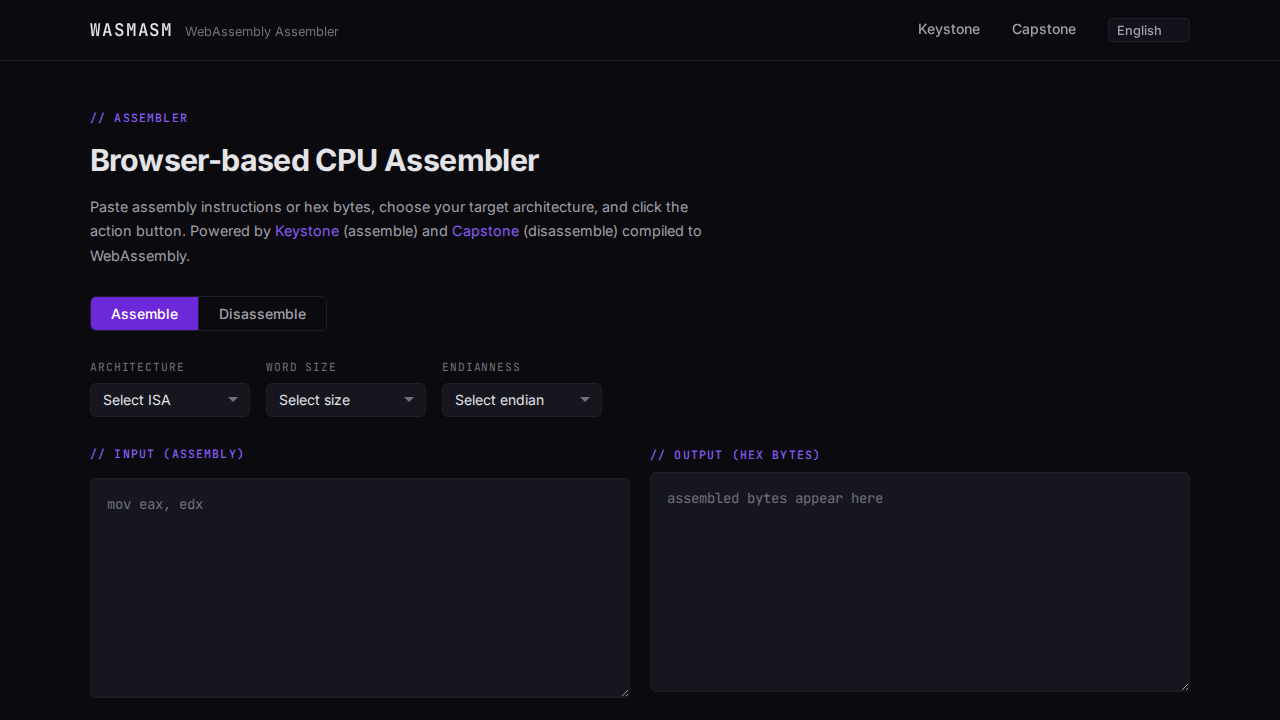
WASMASM lets you paste assembly instructions directly in the browser, select a target architecture and word size, and instantly get the assembled bytes back — or paste hex bytes to disassemble them. The Keystone assembler engine and Capstone disassembler engine are compiled from C to WebAssembly via Emscripten, so the full assembly pipeline runs entirely client-side with zero backend infrastructure. A lightweight Vue 3 front-end wires up the controls and handles shareable URL state so assembly snippets can be linked directly.

~3,200
Lines of Code
60+
Test Cases
6
Architectures
3
Test Suites
WebAssembly C Emscripten Vue 3 Keystone Engine Capstone Engine Jest Playwright GitHub Actions

Supported Architectures

x86
16 / 32 / 64-bit · little-endian
ARM
32-bit · little & big-endian
AArch64
64-bit · little-endian
MIPS
32 / 64-bit · little & big-endian
PowerPC
32 / 64-bit · big-endian
SPARC
32-bit · little & big-endian

Test coverage: 20 C unit tests · 20+ Jest unit tests · 20+ Playwright E2E tests

// Screenshots

WASMASM assembler interface showing x86 assembly input and hex output
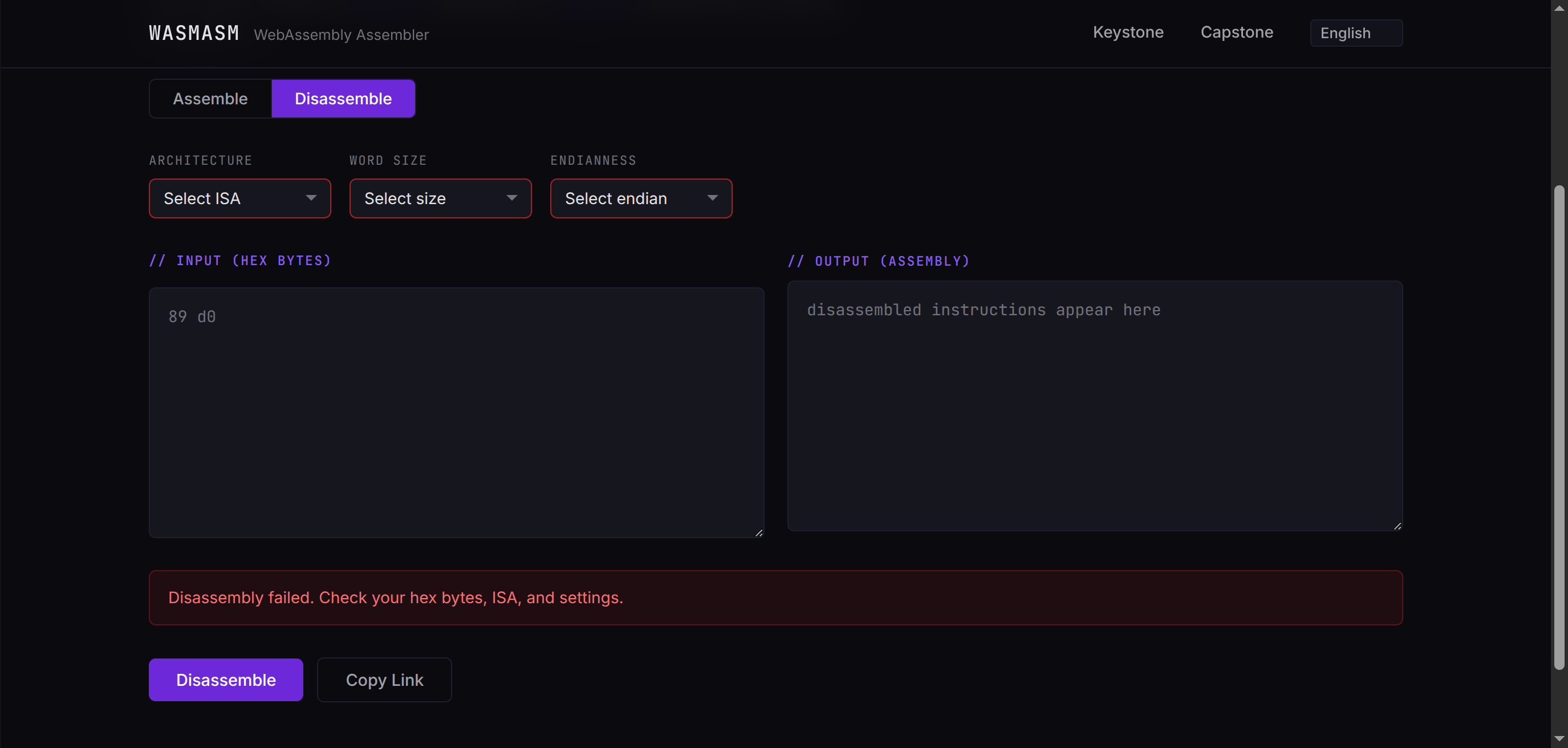
WASMASM disassembler interface showing hex input and decoded instructions

// Open Source — Browser Extension / Web Security

CSP Tool

A Chrome and Firefox (MV3) browser extension for inspecting, editing, and overriding the Content Security Policy of any web page — at the meta-tag level or the HTTP header level.

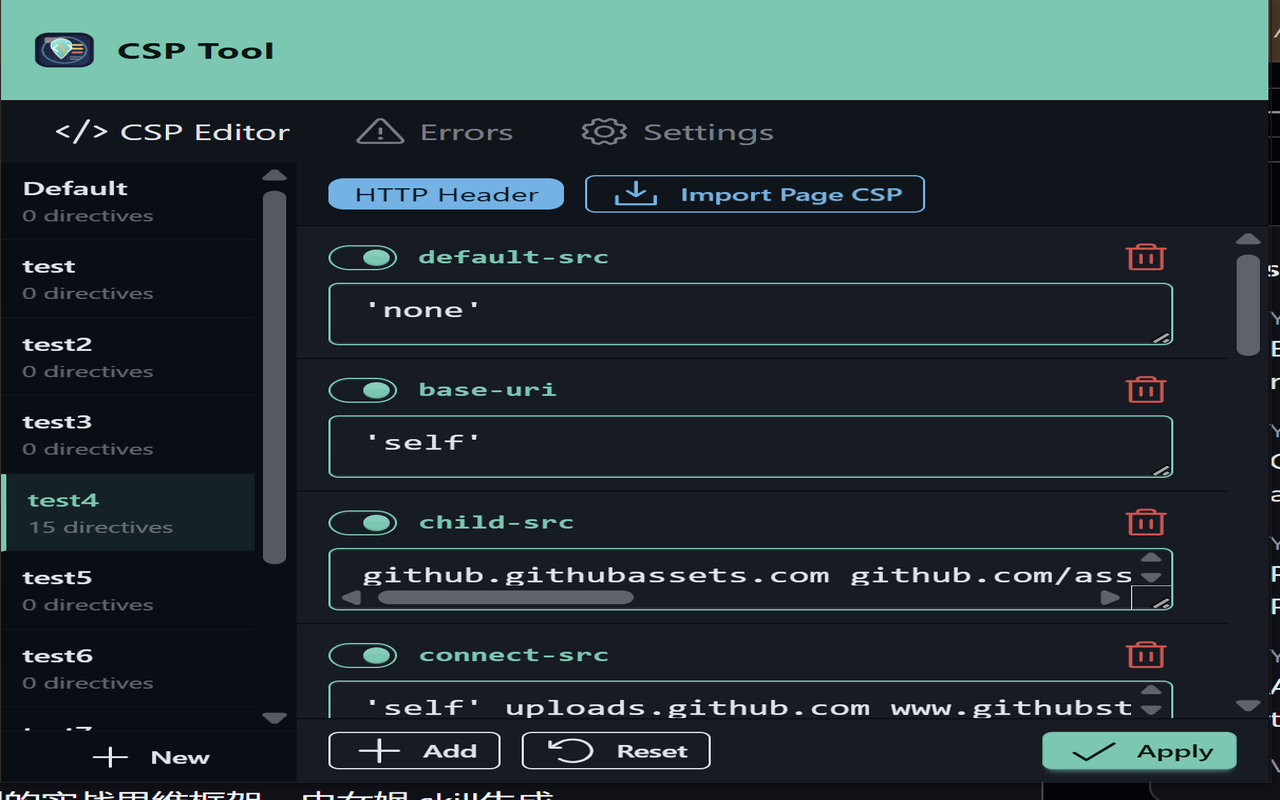
CSP Tool captures CSP values from HTTP response headers via chrome.webRequest, parses them into individual directives, and lets you edit, toggle, add, or remove entries in a live editor. Changes can be applied two ways: by injecting a <meta http-equiv="Content-Security-Policy"> tag into the page DOM (good for loosening policies without a reload), or by installing a session-scoped declarativeNetRequest rule that rewrites the response header outright (full control, including tightening). Named configurations can be scoped to URL match patterns, every securitypolicyviolation event fired on the page is surfaced in real time, and the entire UI is localised into 15 languages.

2
Browsers Supported
15
Locales
28
CSP Directives
3
Apply Modes
Manifest V3 Vue 3 TypeScript Vite Pinia vue-i18n Tailwind CSS DaisyUI webextension-polyfill declarativeNetRequest Vitest Playwright

Key Features

Directive Editor
Toggle, edit, add, or remove CSP directives
Header Override
Rewrites CSP via declarativeNetRequest
Meta-Tag Mode
Loosen CSP in-memory with no reload
NO-CSP Injection
Add a CSP to pages that have none
Per-Site Configs
Named bundles scoped by URL pattern
Live Violations
securitypolicyviolation events captured

Runtime: background service worker · content script · Vue 3 action popup

// Screenshots

CSP Tool popup showing the CSP Editor tab with configuration ribbon and directive list
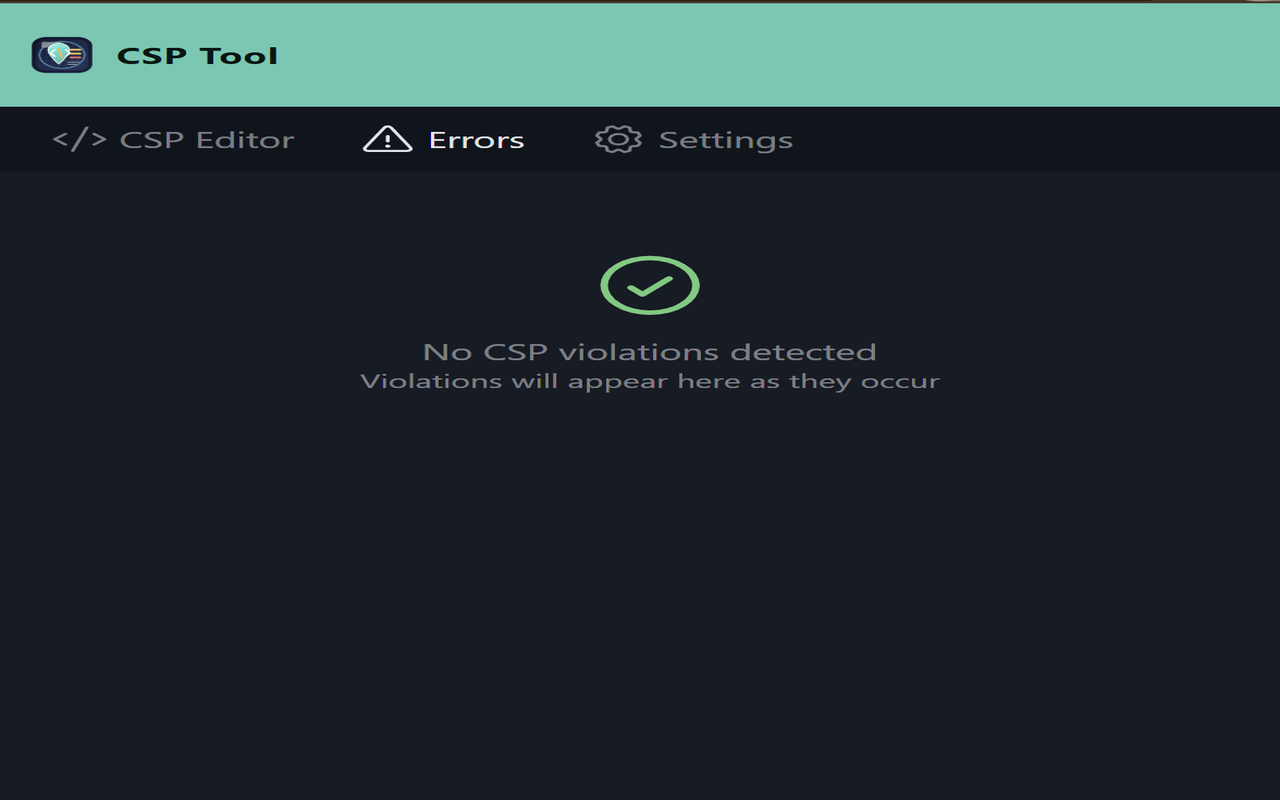
CSP Tool Errors tab displaying the empty violations state
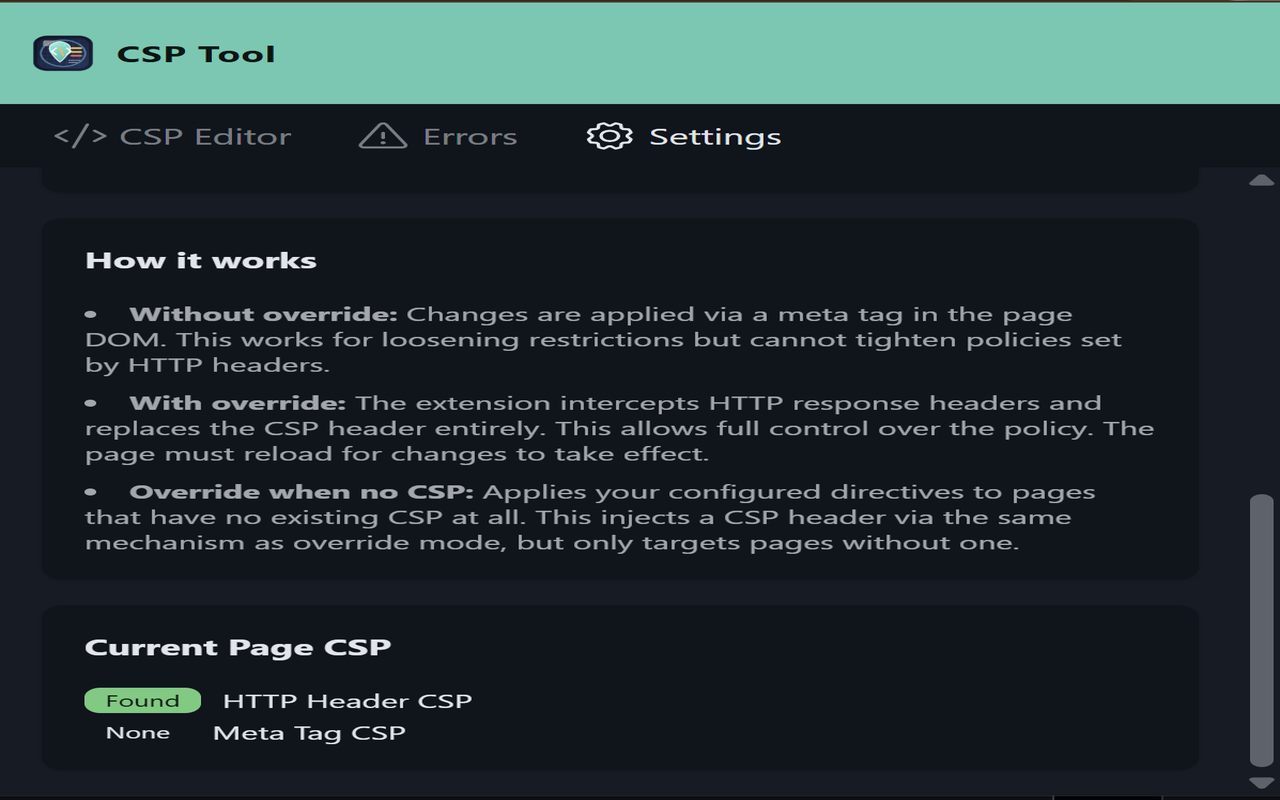
CSP Tool Settings tab explaining meta-tag, override, and NO-CSP apply modes
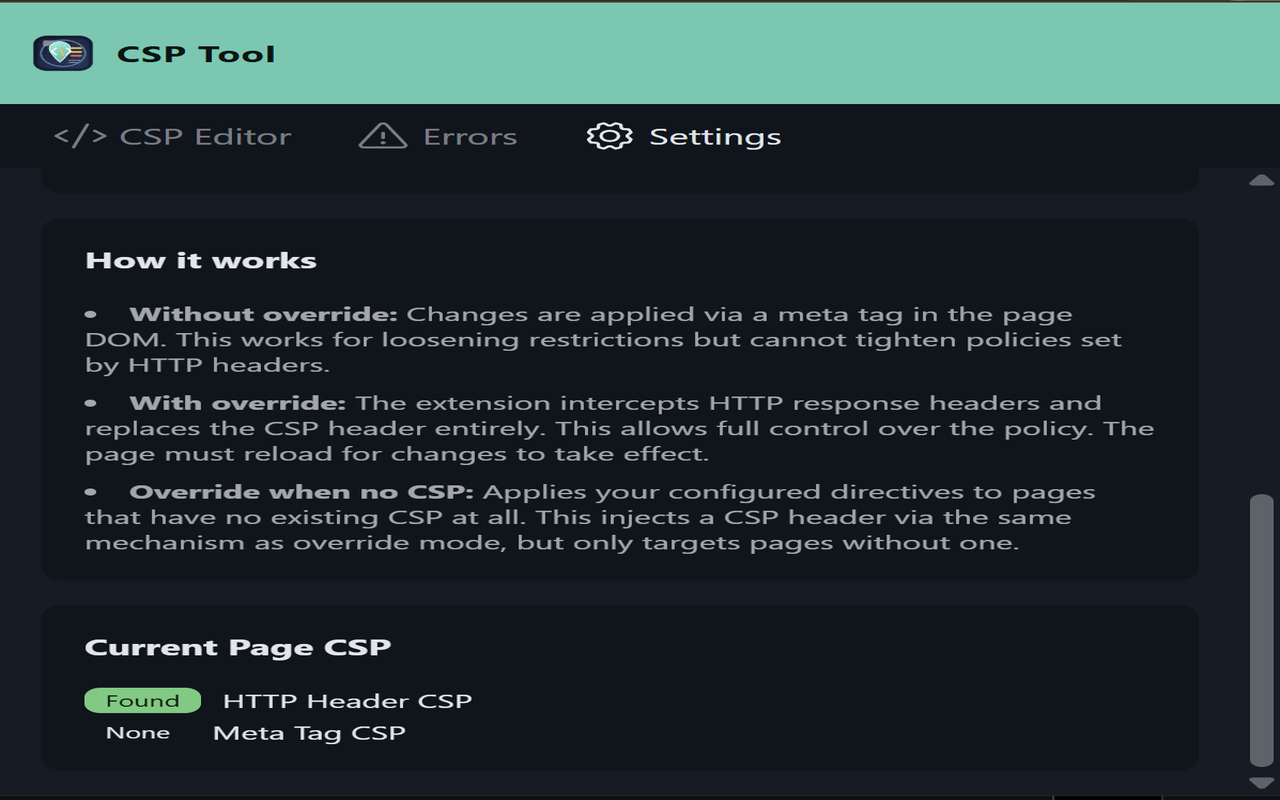
CSP Tool Settings tab showing current page HTTP and meta CSP status

// Open Source — AI / Desktop Application

AI Music Feedback

A cross-platform desktop app that streams audio from your computer to the OpenAI Realtime API and delivers live AI feedback on your music — mix, dynamics, tonality, arrangement, and more.

AI Music Feedback captures PCM audio playing on your computer — from a DAW, streaming service, or any other source — and forwards it to OpenAI over a WebSocket in real time. When the AI detects a pause it responds with concise, actionable feedback. You can also ask questions by typing into the conversation or speaking through a separate microphone while the music stream is live. The full conversation is retained in a transcript view and can be exported to .txt or .md. API keys are stored encrypted in the OS keychain (macOS Keychain, Windows Credential Store) and the UI is fully localisable — new languages are added by dropping a single JSON file in src/i18n/.

~3,900
Lines of Code
400+
Test Cases
4
Build Targets
16
Test Suites
Electron 33 Vue 3 TypeScript electron-vite OpenAI Realtime API Web Audio API AudioWorklet vue-i18n Vitest electron-builder GitHub Actions

Key Features

Real-time Analysis
PCM16 audio streamed via WebSocket
Any Audio Source
DAW, browser, or any OS device
Voice & Text Input
Mic or typed questions while streaming
Transcript Export
.txt / .md · Ctrl/Cmd+E
Encrypted Key Storage
OS keychain via Electron safeStorage
Internationalisation
Drop-in JSON locale files

Builds: Linux · Windows · macOS arm64 · macOS x64  —  released automatically via GitHub Actions on version tags

// Screenshots

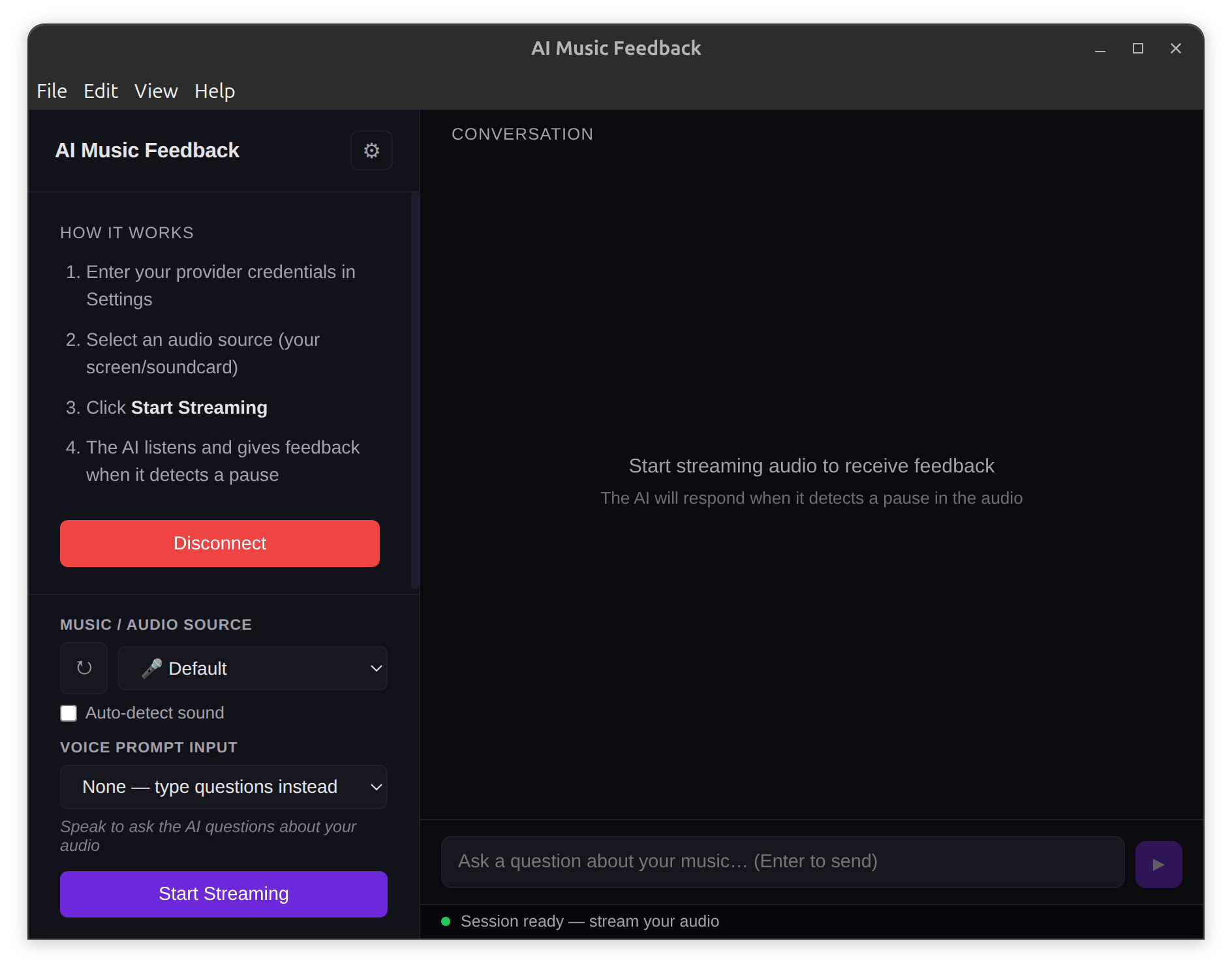
AI Music Feedback desktop app showing audio source selection, streaming controls, and live AI conversation transcript