0 Aleph Void

// Commercial — Desktop / Virtualization

QEMU Manager

QEMU, without the command line — a desktop app for macOS, Linux & Windows that creates, configures and runs QEMU virtual machines, from a Windows 11 guest with TPM 2.0 to a RISC-V or IBM Z board.

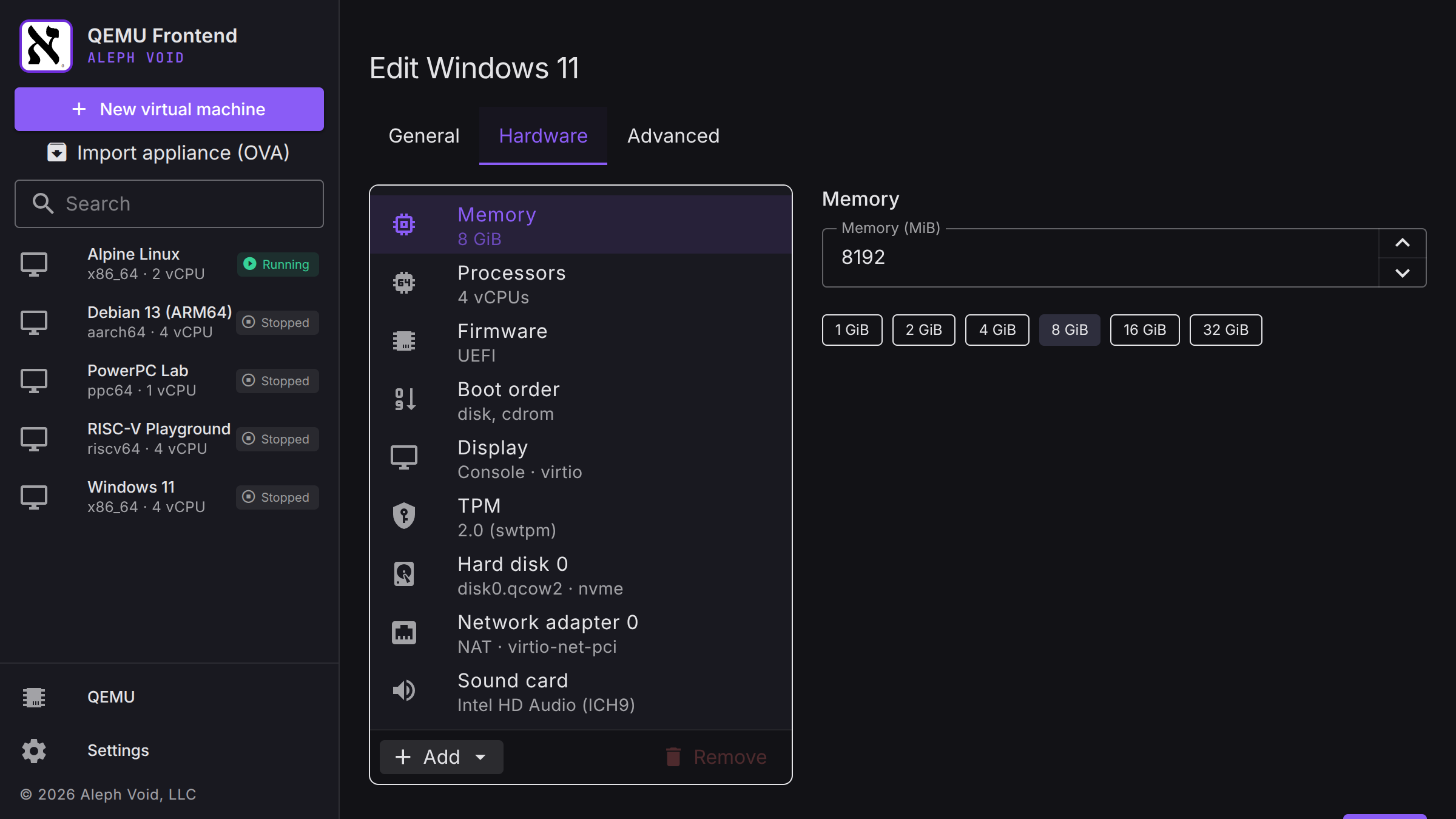
QEMU can emulate almost anything, but driving it means hand-writing long command lines. QEMU Manager builds a VM from a Proxmox-style hardware list — CPUs and memory, BIOS or UEFI, virtio, NVMe, SATA, IDE and USB disks, ISOs, boot order, sound cards, serial ports and host USB devices — then starts it and shows it booting in an embedded noVNC console. It drives the QEMU you already have installed, supervising QEMU, swtpm and virtiofsd directly (never through a shell) and controlling the running machine over QMP. Nothing is hidden: the exact QEMU command line for any VM is one click away, and you can add your own arguments. Every VM is a self-contained folder holding its configuration, qcow2 disks, UEFI variables and TPM state, so it can be copied, backed up or moved like any other folder. One license covers every platform; the app collects no analytics or telemetry.

18
Guest Architectures
3
Host Platforms
10
Machines per License
0
Telemetry
QEMU QMP KVM Hypervisor.framework WHPX swtpm UEFI / OVMF noVNC VFIO

Key Features

UEFI & TPM 2.0
Windows 11 & BitLocker via swtpm
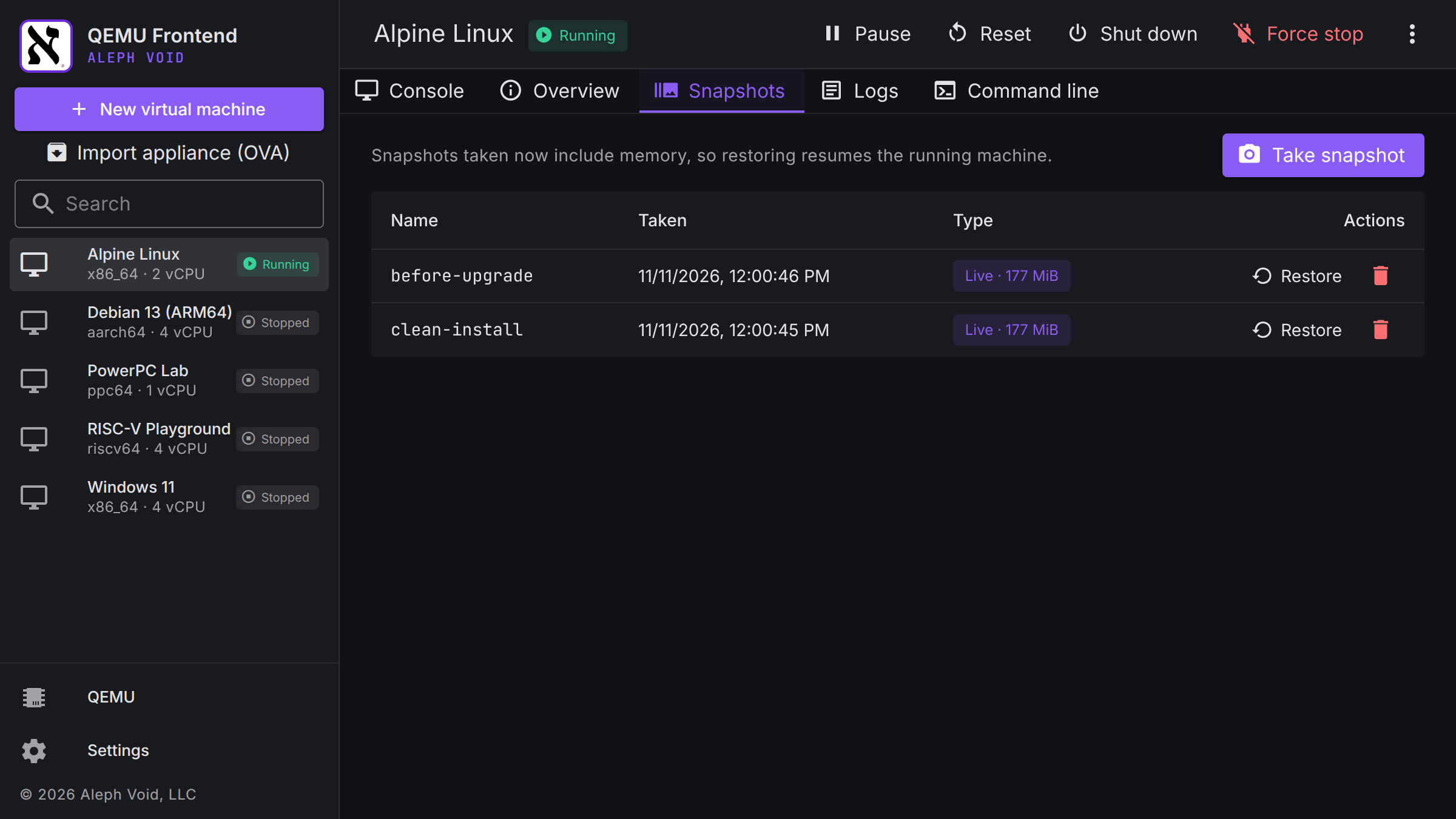
Snapshots With Memory
Restore resumes exactly where it was
Full & Linked Clones
Copy-on-write overlays · near-zero space
OVA / OVF Appliances
Import from VMware & VirtualBox · round-trip export
Hardware Acceleration
KVM, HVF, WHPX · TCG fallback
PCI & USB Passthrough
VFIO with IOMMU group checks

Platforms: macOS (Apple Silicon & Intel) · Windows (x64 & ARM64) · Linux (x64 & ARM64)  —  requires a separately installed QEMU. Guests: x86, ARM, RISC-V, POWER, MIPS, LoongArch, IBM Z, SPARC, m68k, Alpha & PA-RISC.

// Screenshots
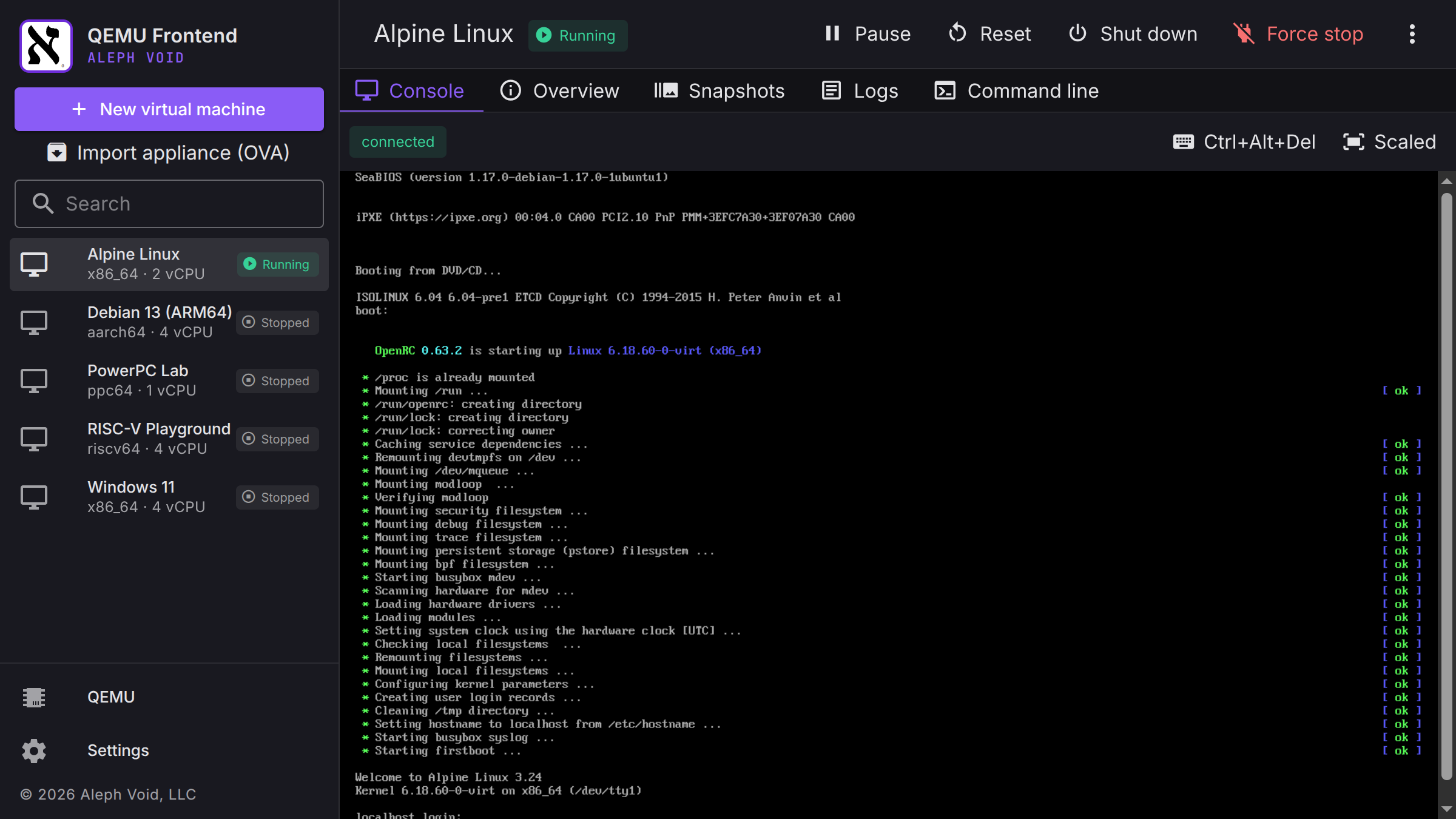
QEMU Manager embedded console showing Alpine Linux booting, with the VM library in the sidebar
QEMU Manager hardware list for a Windows 11 VM with UEFI, TPM 2.0 and an NVMe disk
QEMU Manager snapshots tab with two live snapshots that include memory

// Open Source — Audio / Reverse Engineering & Synth Plugin Development

Morphix

A polyphonic morphing wavetable synthesizer plugin (AUv3 / VST3 / Standalone) — a from-scratch reconstruction of the lost 2005 FSR Morphite, with its architecture, parameters, and complete 64-patch factory bank recovered from the original binary and rebuilt with JUCE.

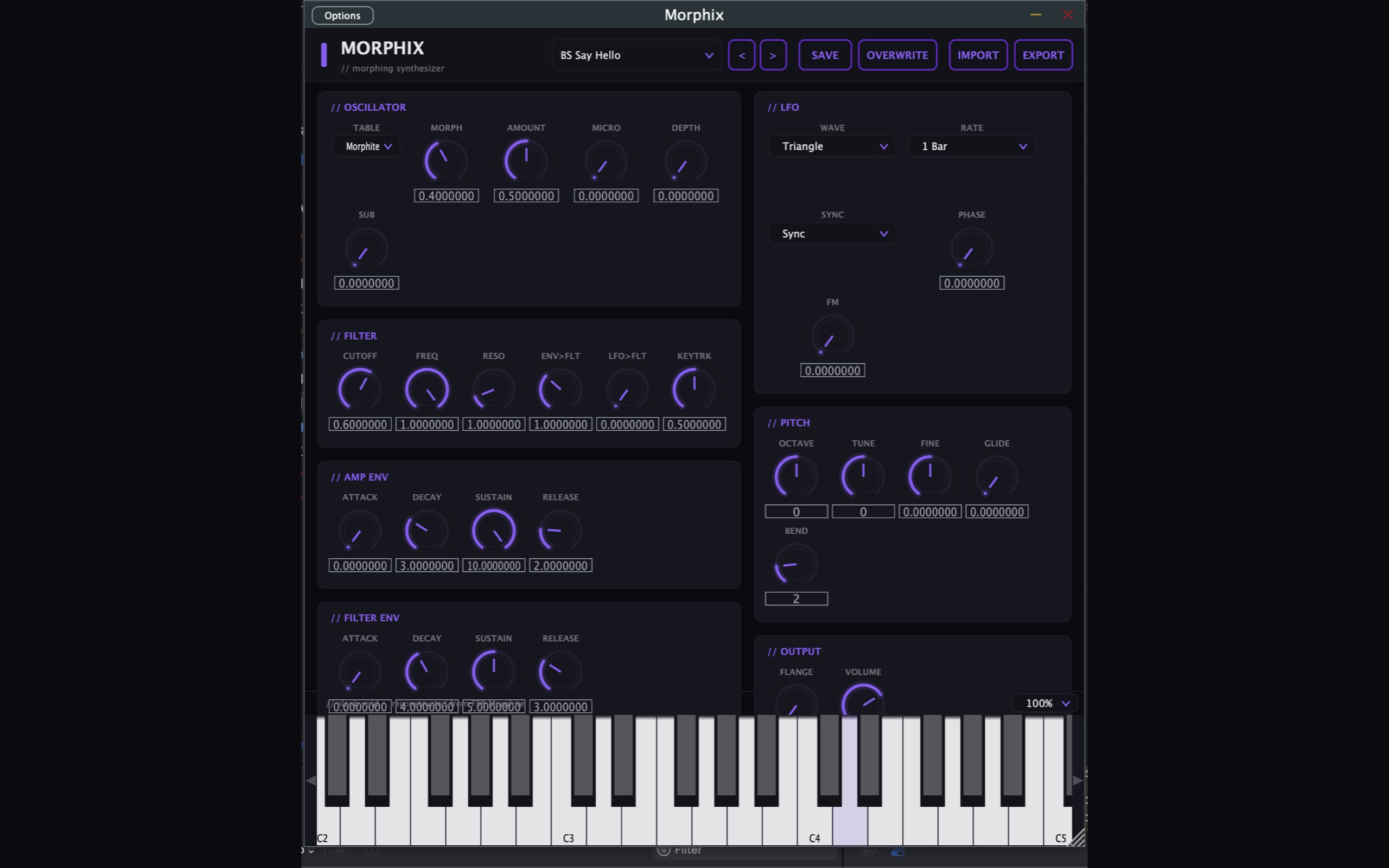
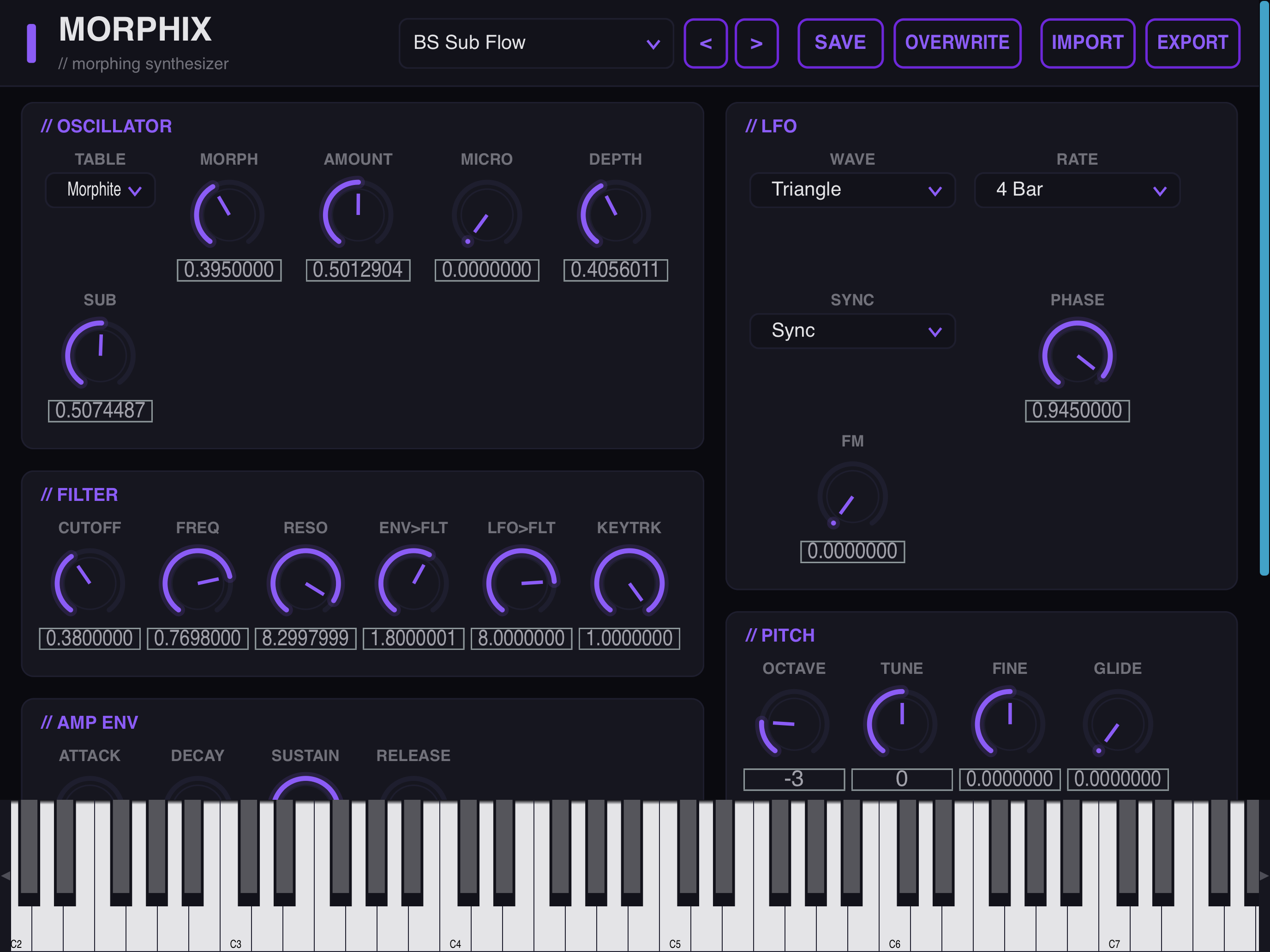
The FSR Morphite was a 2005 Windows VST whose source code was lost. Morphix rebuilds it from scratch: its signal path, all 29 parameters, and the full 64-patch factory bank were reverse-engineered from the original binary and re-implemented with JUCE as a modern, multi-architecture plugin. The voice is a single morphing wavetable oscillator — one morph control sweeps continuously through the table, smoothly blending one waveform into the next — feeding a state-variable filter with its own ADSR, an amp VCA, and a stereo flanger on the output, with a tempo-syncable LFO routable to morph and cutoff. The recovered factory bank ships as standard Steinberg .vstpreset files (also exposed as host programs), and users can import and export their own from the UI. Morphix does no networking and collects nothing — no account, no telemetry, everything runs locally.

64
Factory Presets
29
Parameters
4
Platforms
0
Data Collected
C++ JUCE AUv3 VST3 Standalone Wavetable Synthesis DSP Binary Reverse Engineering

Key Features

Morphing Wavetable Oscillator
One morph control sweeps the table
State-Variable Filter
Cutoff, reso, filter env, key-track
Dual ADSR & Tempo LFO
Amp + filter envelopes · synced LFO
Stereo Flanger
Width and motion on the output
64 Recovered Presets
.vstpreset files · import / export
AUv3, VST3 & Standalone
Logic, GarageBand, Ableton, any host

Platforms: macOS (universal arm64 + x86_64) · iOS / iPadOS (AUv3, iOS 13+) · Windows (x64 + ARM64) · Linux (x86_64 + aarch64). An independent reconstruction — the original FSR Morphite is referenced only as the historical source of the recovered design.

// Screenshots — macOS (AUv3 / VST3 / Standalone)

Morphix full plugin window on macOS showing the oscillator, LFO, filter, envelopes, pitch, and output sections

// Screenshots — iOS / iPadOS

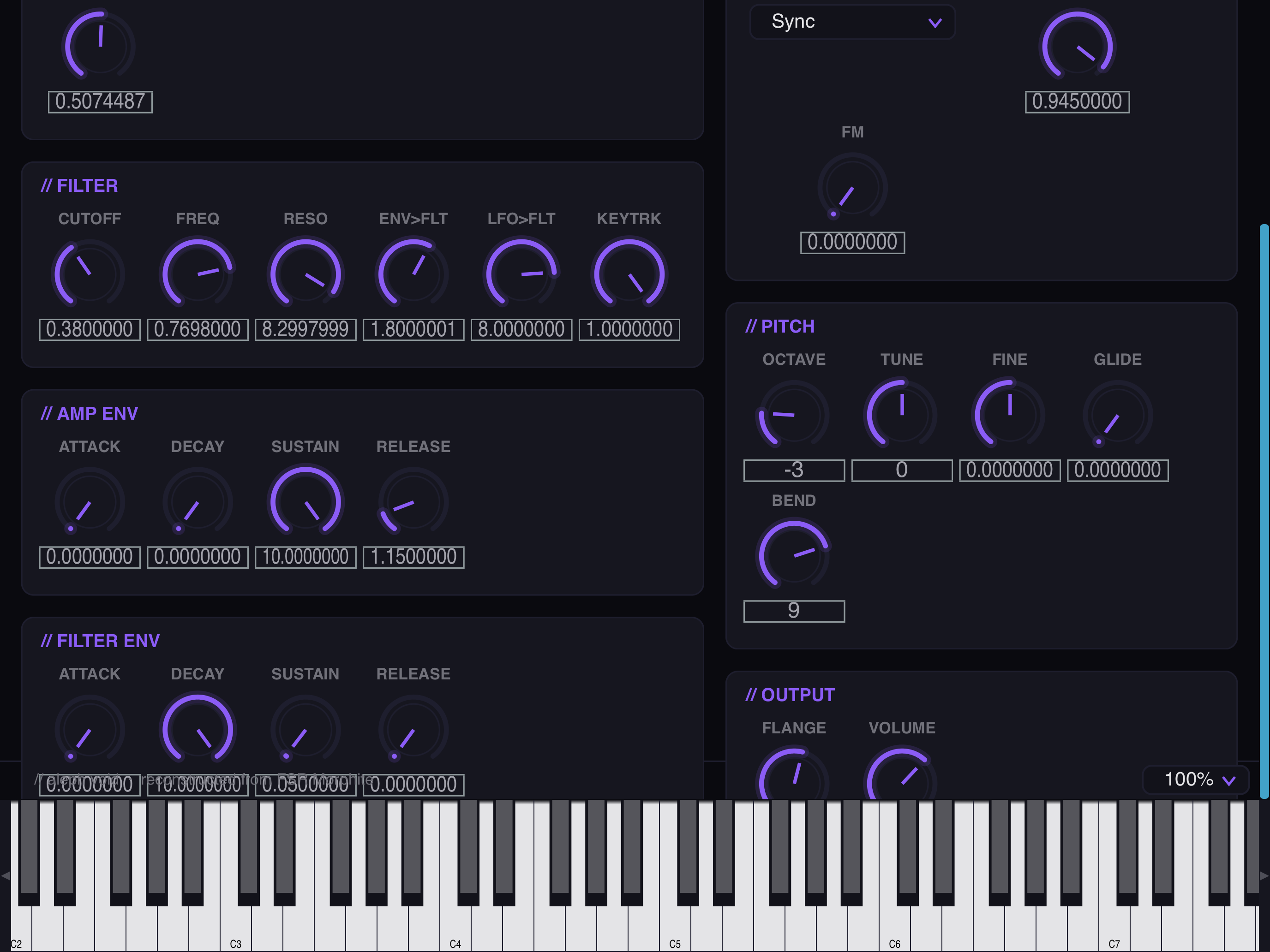
Morphix on iPad showing the oscillator, LFO, filter, and pitch sections
Morphix on iPad showing the amp and filter envelopes, pitch, and output sections over the keyboard

// Open Source — Audio / Reverse Engineering & Driver Development

Aleph Virux

A userspace driver and synth plugin that brings the Access Virus TI (Snow, Desktop, Polar) back to life on Apple Silicon Macs and Android — no kext, no DriverKit, the original control surface as an AUv3 / VST3.

Access shipped the Virus TI with an x86 kernel extension that never made the jump to Apple Silicon, stranding the hardware on legacy machines. Aleph Virux rebuilds the entire stack from scratch in userspace — the whole USB stack talks to the device over IOUSBLib, so nothing loads into the kernel and there's no system extension to approve or reboot to install. A lightweight container app claims the Virus over USB and keeps its keepalive stream alive; the AUv3 extension and VST3 plugin then connect to it over XPC / IPC, so a single USB device can drive multiple plugin instances without a kernel driver in the middle. The on-screen editor — oscillators, filters, LFOs, the modulation matrix, arpeggiator, and the full effects section — is sourced from the documented page A/B parameter model, with multi-channel USB audio captured through CoreAudio and full note / CC / parameter control over the device's native vendor protocol. The macOS VST3 build passes the Steinberg SDK validator 47/47. Built clean-room from a reverse-engineered understanding of the protocol, with no vendor binaries required; the macOS driver and plugins do no networking and collect nothing.

47/47
VST3 Validator
2
Platforms
0
Kernel Extensions
3
Virus TI Models
C++ Swift IOUSBLib Core Audio AUv3 VST3 XPC / IPC USB Reverse Engineering Kotlin

Key Features

Userspace USB Driver
IOUSBLib · no kext, no DriverKit
Container + Plugin over IPC
One device, many plugin instances
AUv3 & VST3
Logic, GarageBand, Ableton Live, any host
Original Control Surface
Osc, filter, LFO, matrix, arp, FX
Audio & MIDI Over USB
CoreAudio capture · vendor control protocol
Clean-Room Protocol
No vendor binaries · no data collection

Platforms: macOS on Apple Silicon (AUv3 / VST3) · Android with USB host vendor access  —  requires an Access Virus TI Snow, Desktop, or Polar over USB. No iOS build — iOS forbids the vendor USB access this needs.

// Screenshots — macOS (AUv3 / VST3)

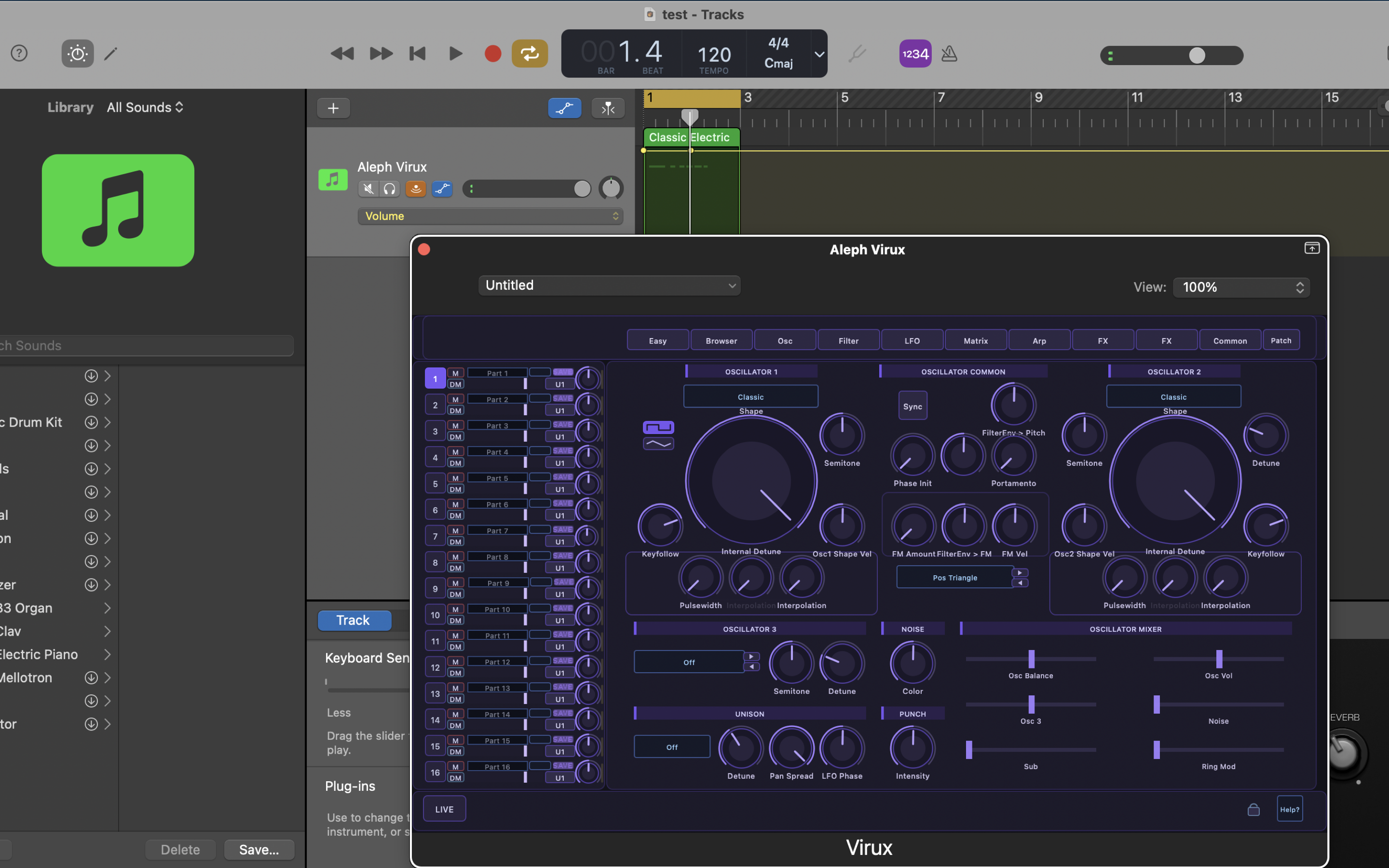
Aleph Virux oscillator edit page running as an AUv3 plugin on macOS
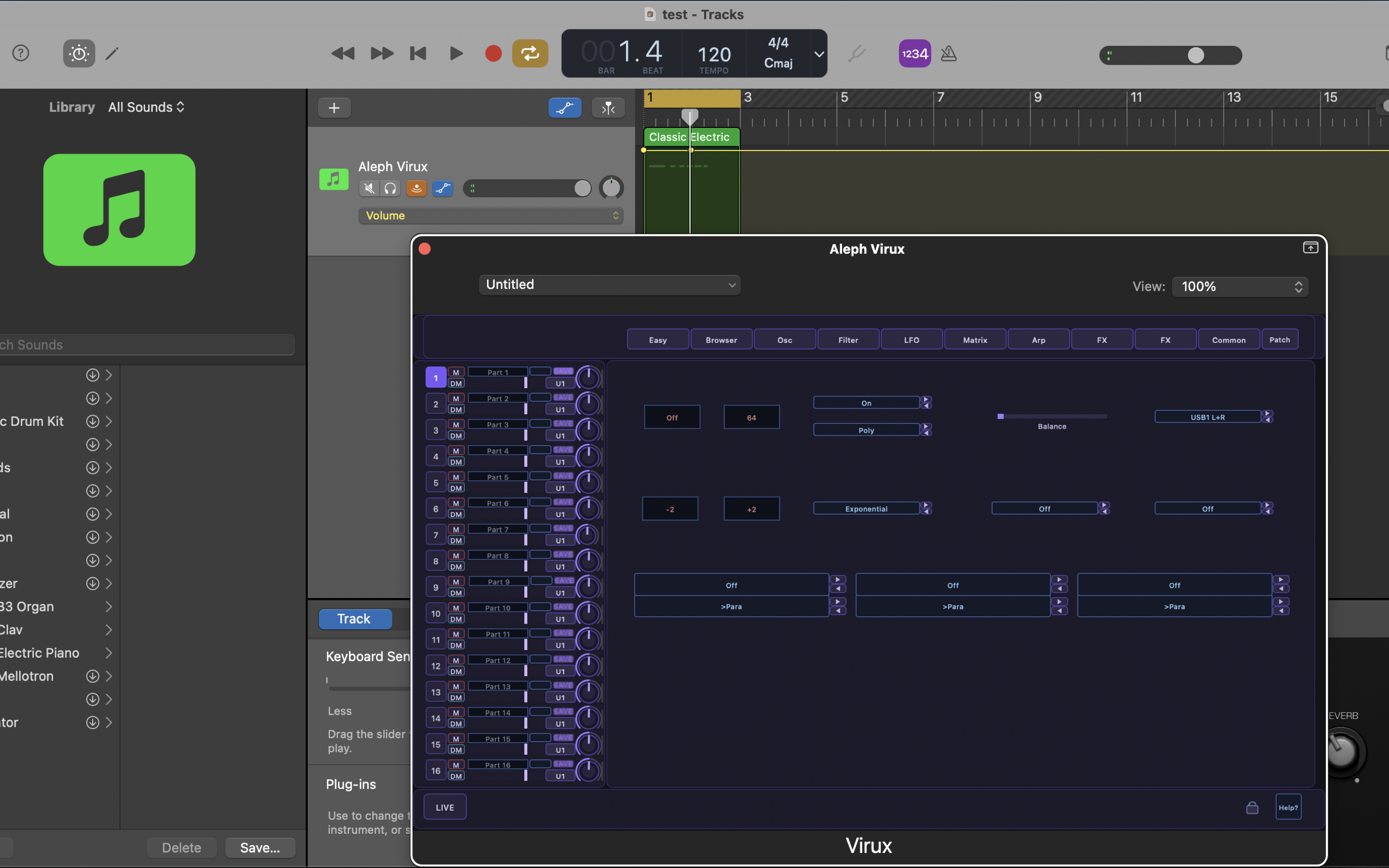
Aleph Virux modulation matrix page on macOS
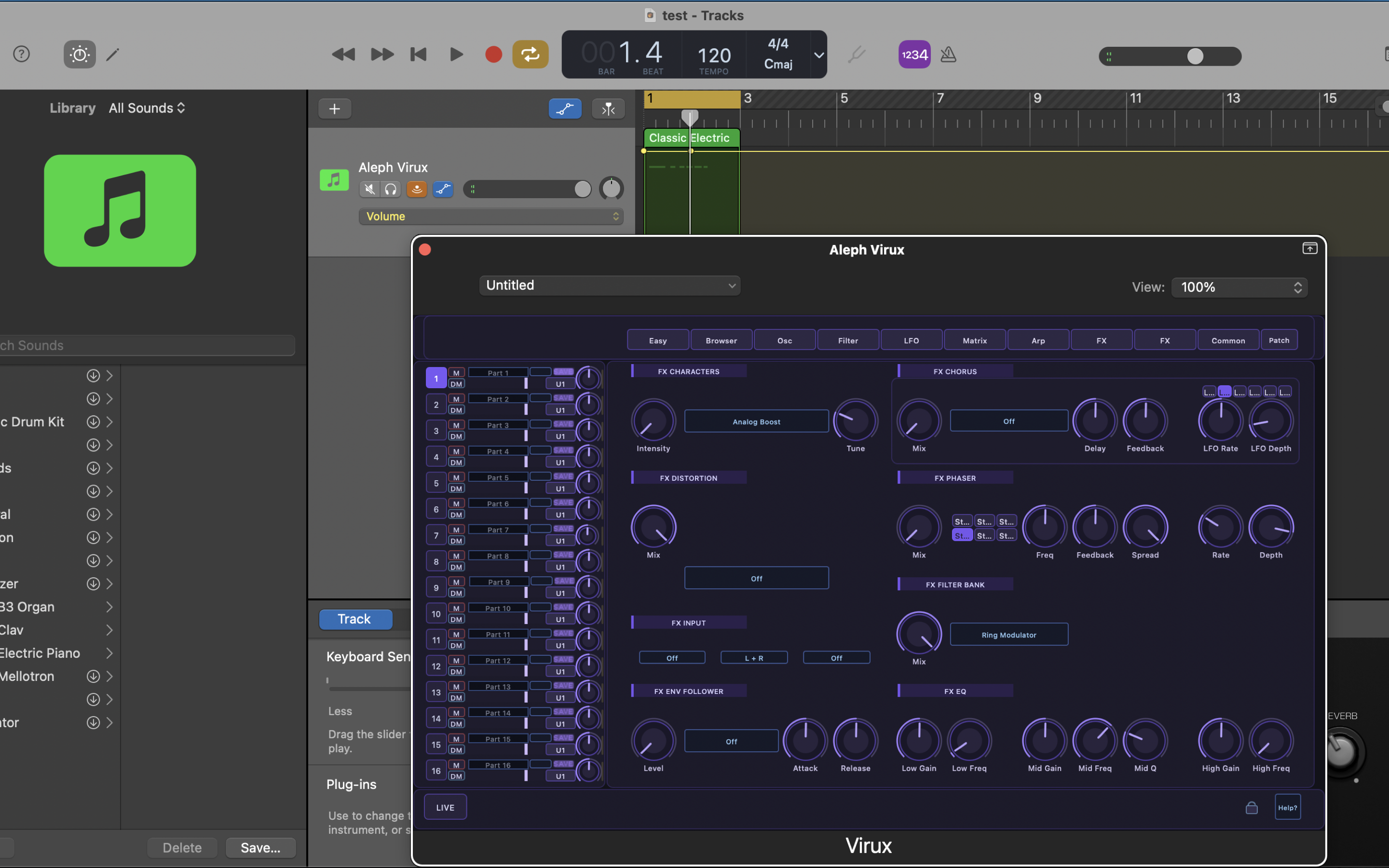
Aleph Virux effects section on macOS

// Screenshots — Android

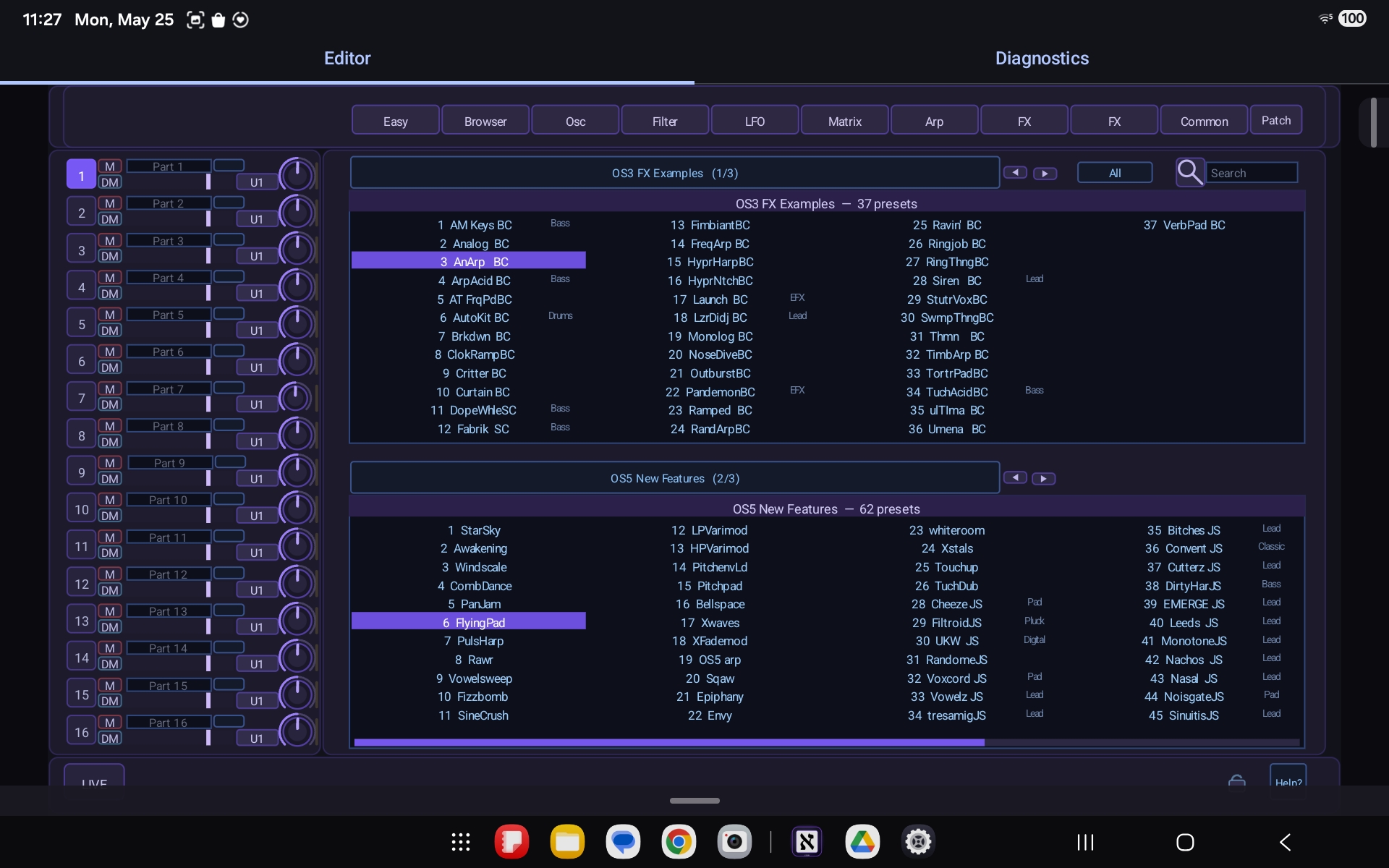
Aleph Virux preset browser in the Android control app
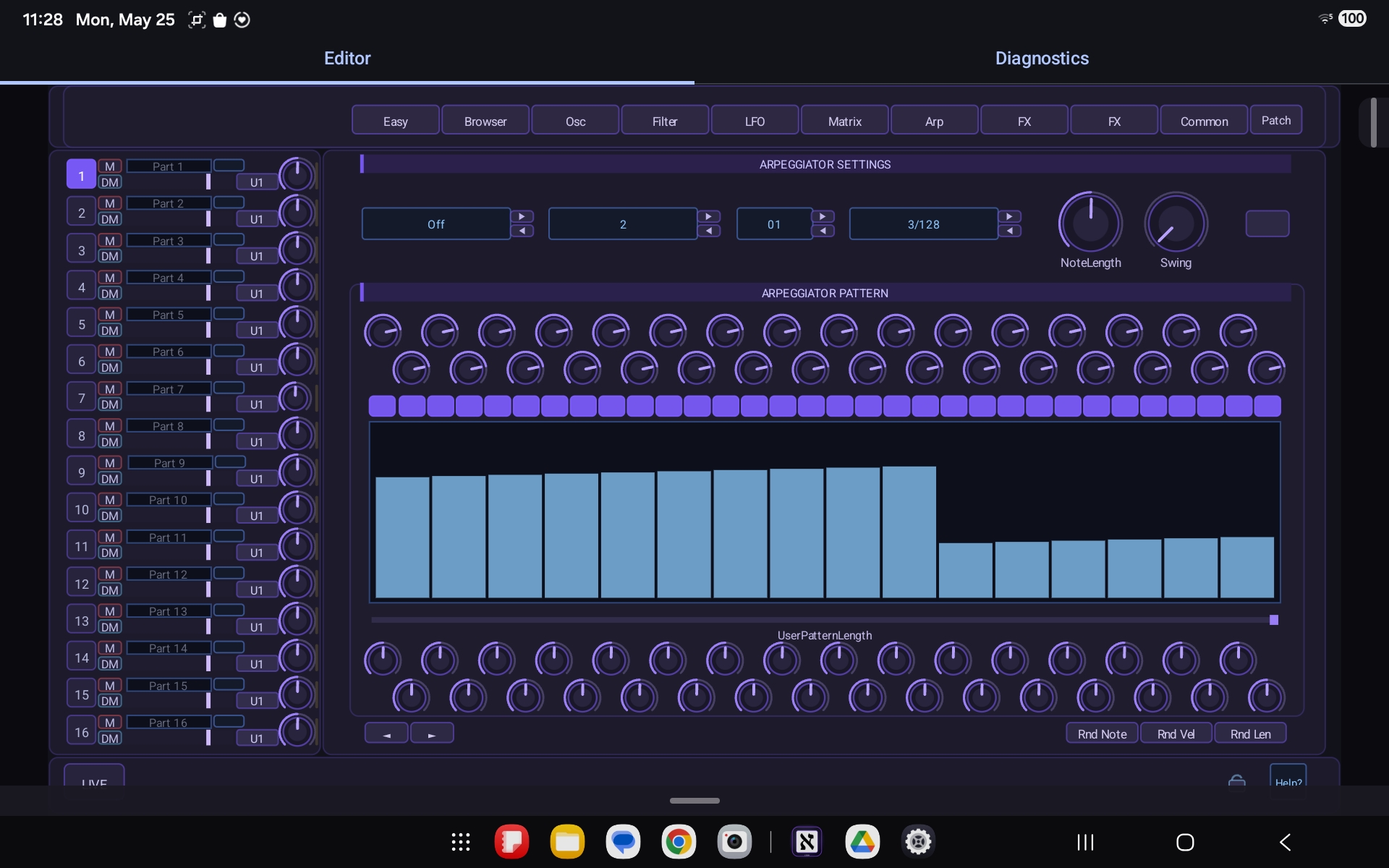
Aleph Virux arpeggiator page on Android
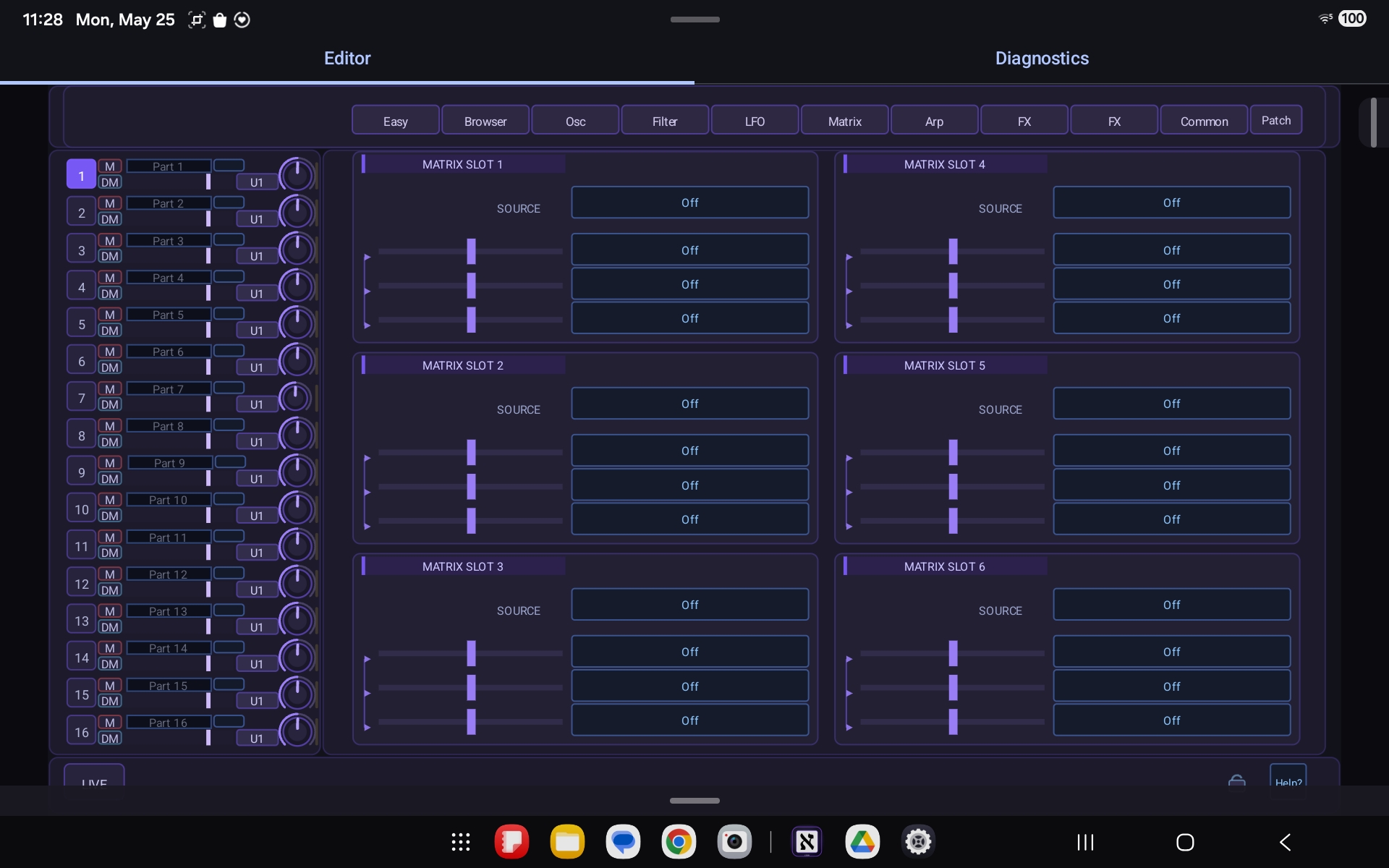
Aleph Virux modulation matrix page on Android

// Commercial — Mobile / Audio & Modular Synthesis

CVOsc

A multichannel oscilloscope for iOS and Android that turns a phone or tablet plus a DC-coupled audio interface into a real-time monitor for control voltage and audio signals from Eurorack and modular synth systems.

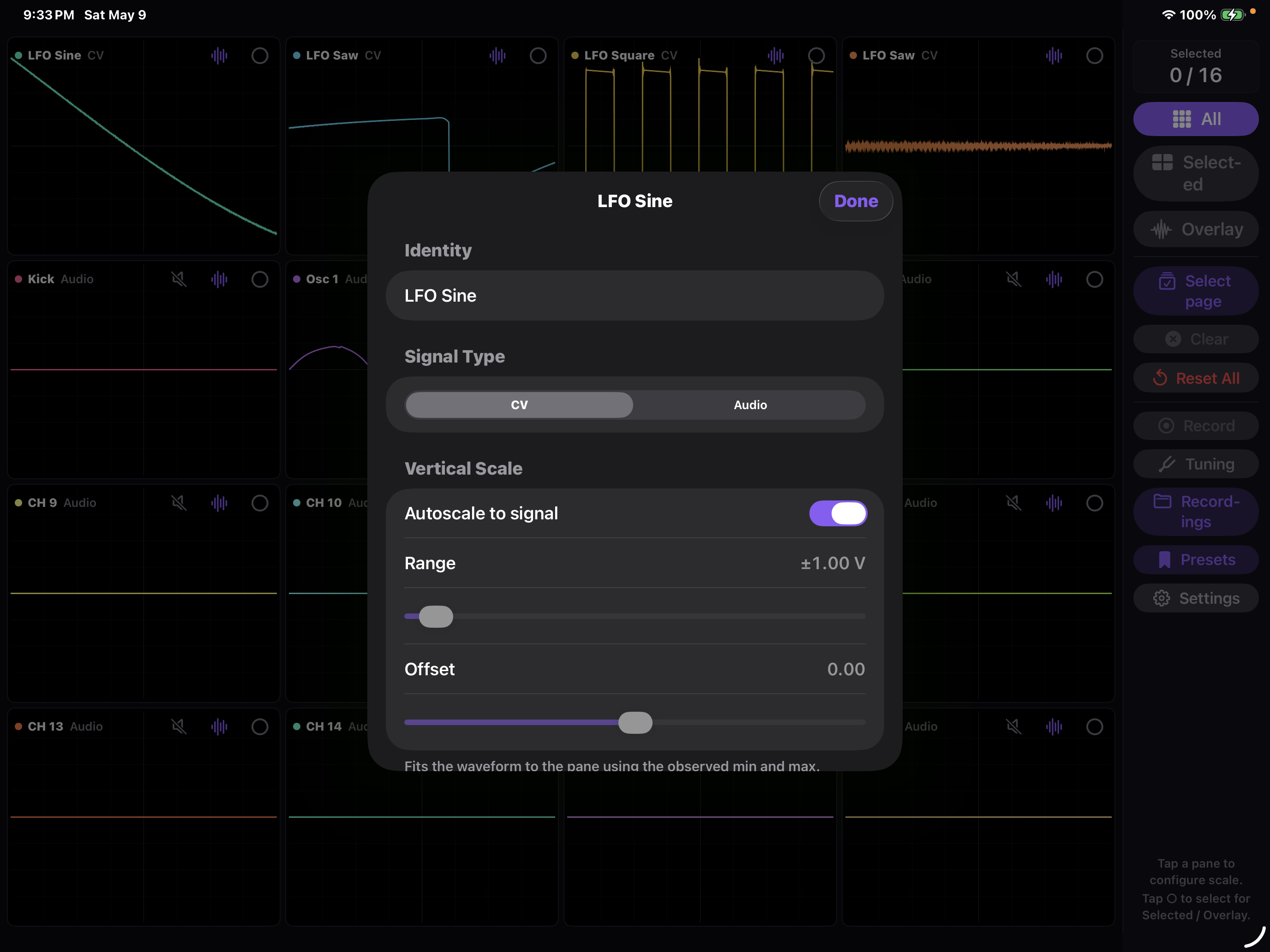
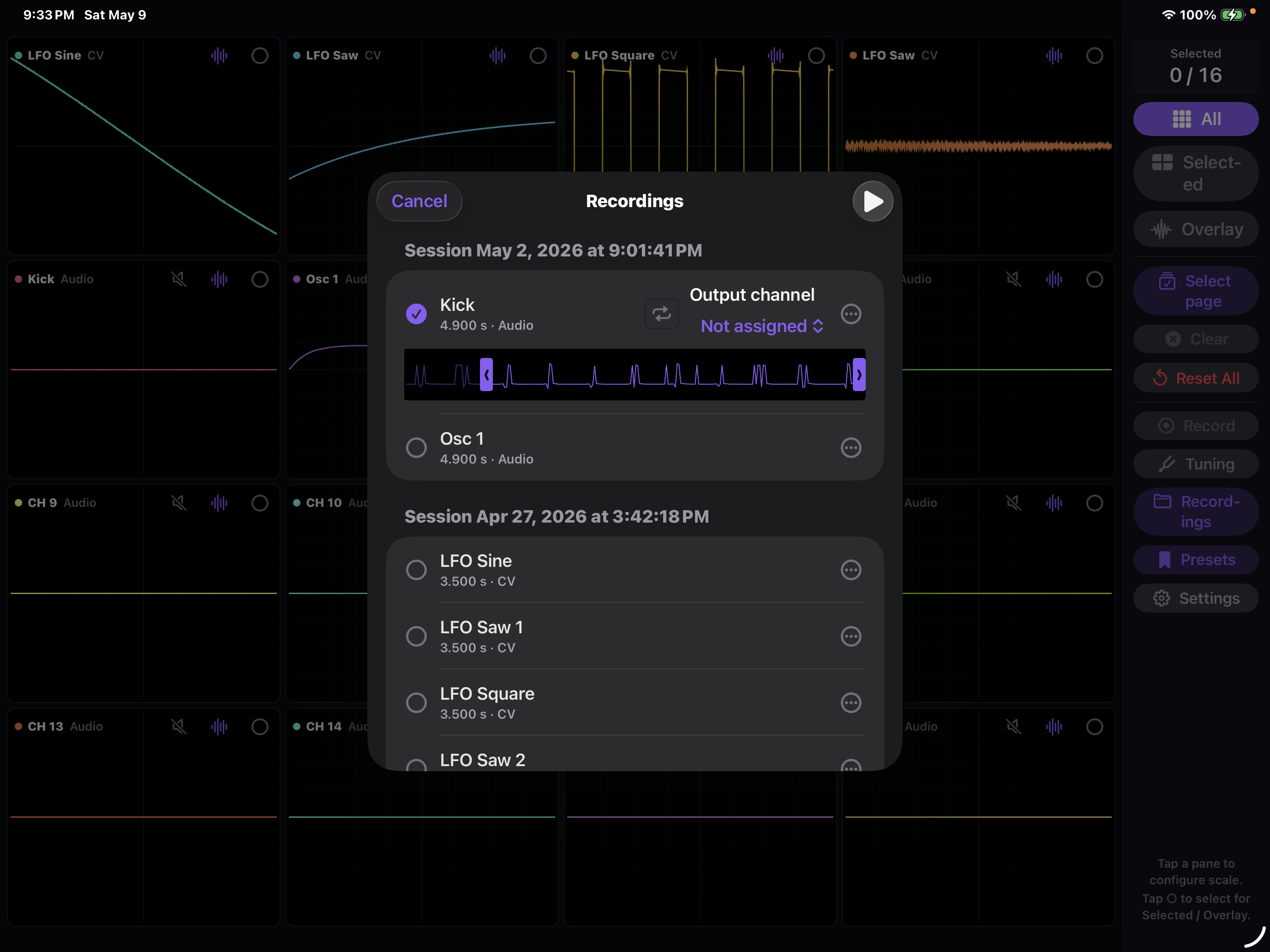
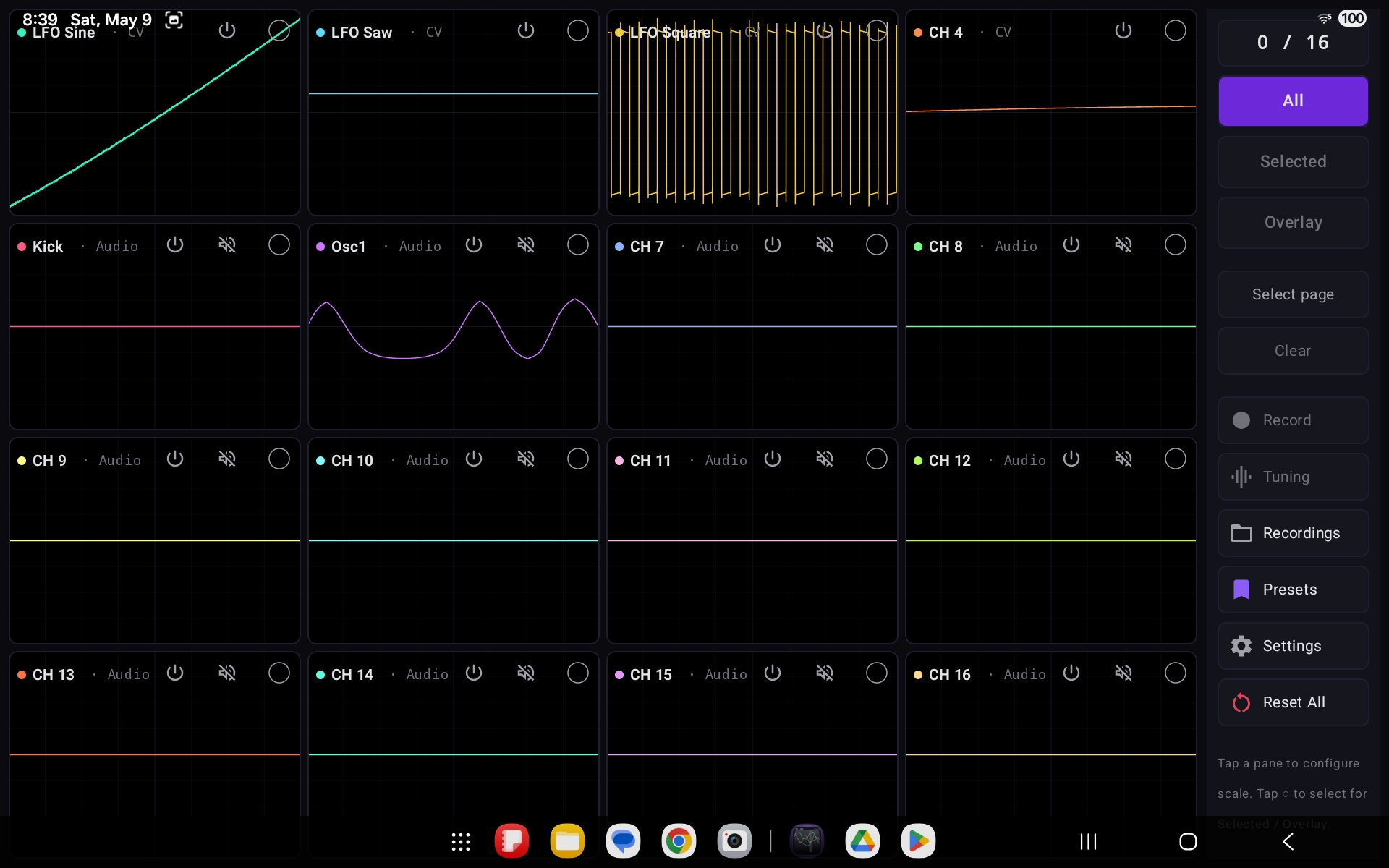
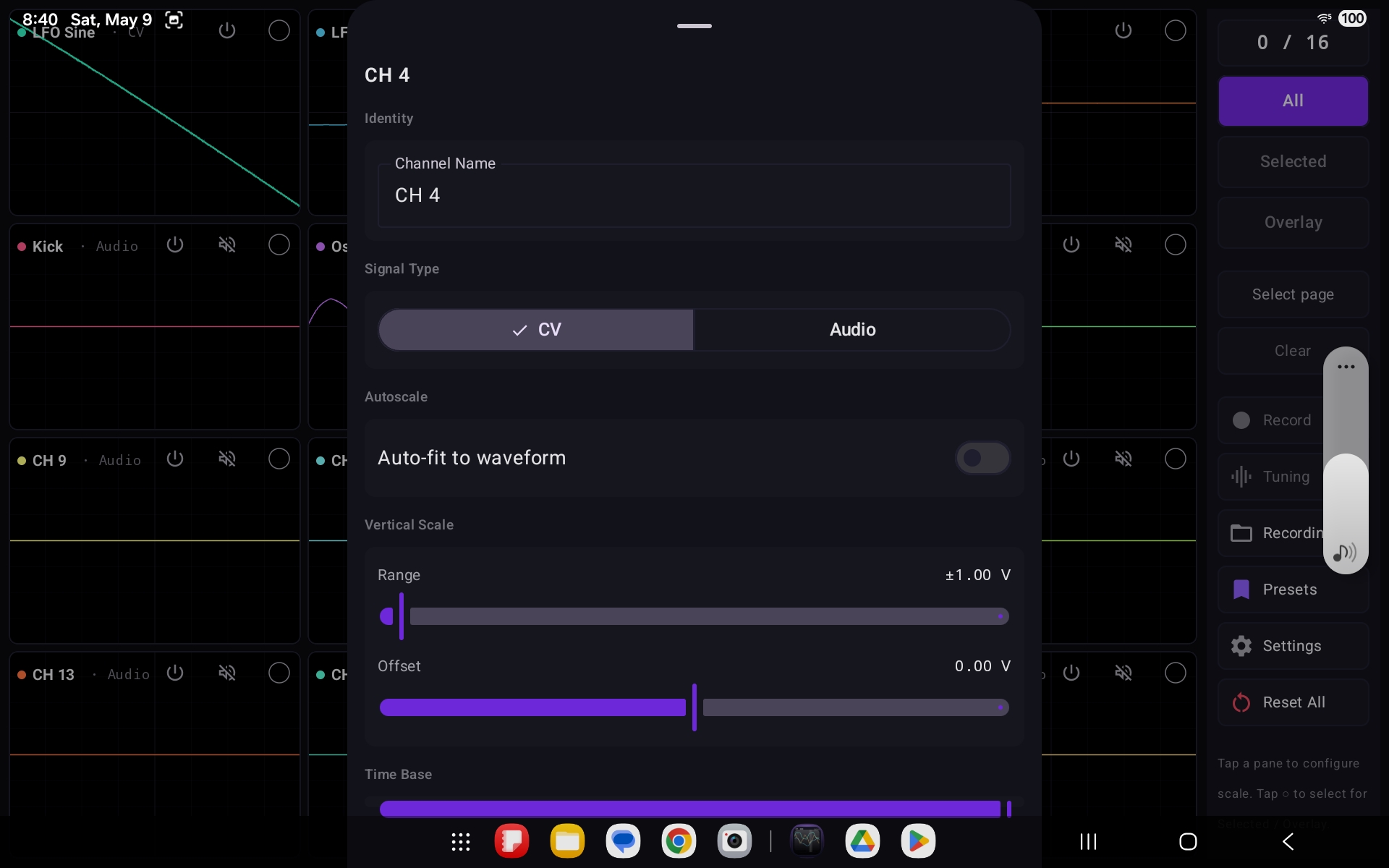
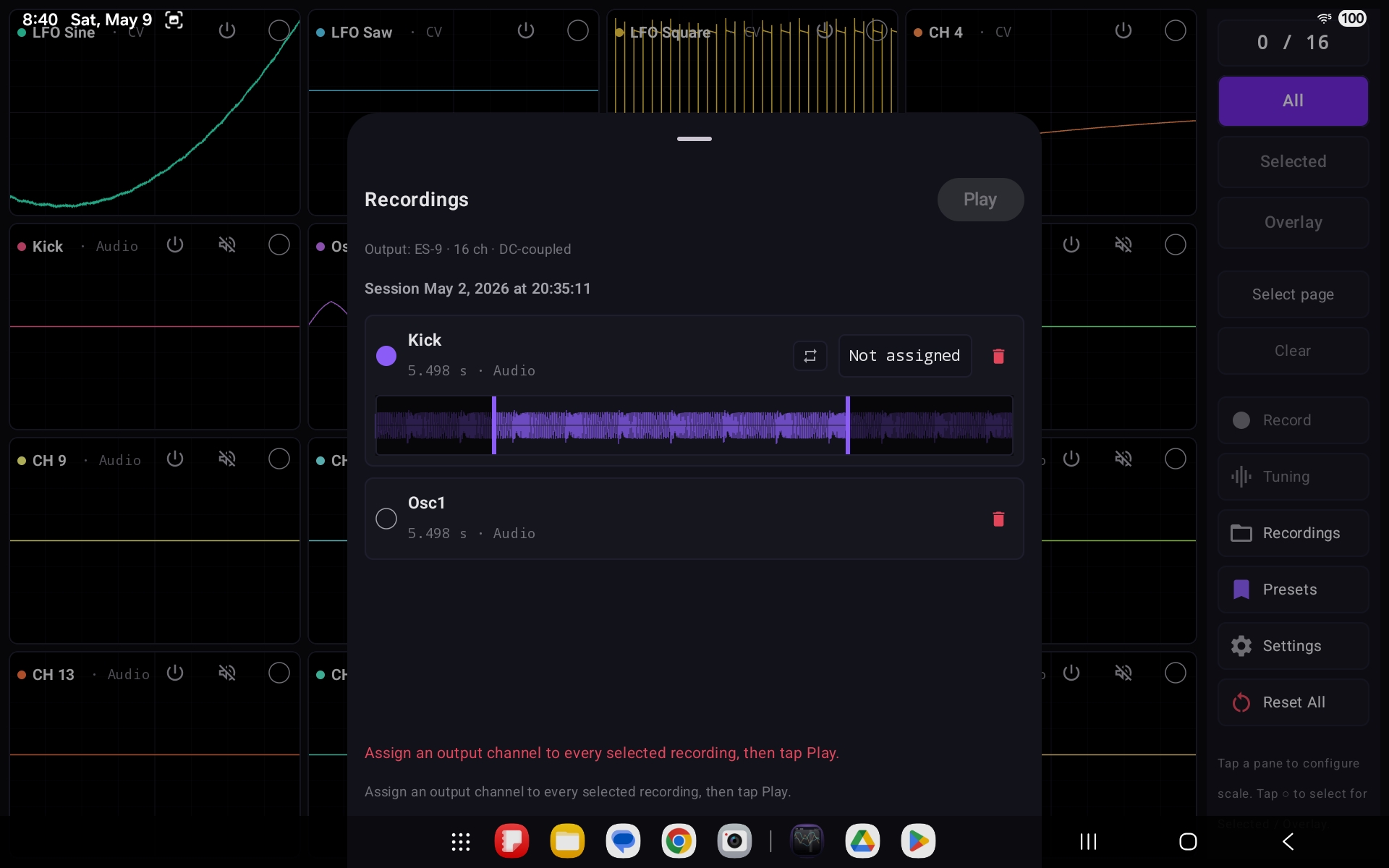
CVOsc streams every input on a DC-offset-capable, class-compliant USB audio interface simultaneously — up to 16 channels at once — rendering each as its own live oscilloscope pane in a grid that adapts to the device (4×4 on tablets, 2×2 on phones). Each channel can run in either CV or audio-rate mode with independent vertical scale, DC offset, and time-base controls, plus autoscaling that fits the waveform to its observed range. A live tuning view uses autocorrelation for audio signals and V/oct mapping for CV, so pitched oscillators and control voltages can be read off directly. Selected channels can be captured to per-channel CAF / WAV files with a JSON sidecar and played back — with hardware-level DC-safety validation before any output is enabled, drawn from a built-in catalog of known DC-coupled interfaces. All processing and every recording stay local to the device; no data is collected.

16
Input Channels
2
Platforms
3
View Modes
2
Signal Modes
Swift SwiftUI Core Audio Kotlin Jetpack Compose AAudio USB Audio Class DSP / Autocorrelation

Key Features

16-Channel Monitoring
Adaptive grid · 4×4 tablet, 2×2 phone
CV & Audio Modes
Per-channel signal-type handling
Per-Channel Scaling
Range, DC offset & time base
Live Tuning
Autocorrelation · V/oct mapping
Recording & Export
Per-channel CAF / WAV + JSON sidecar
DC-Safe Playback
Hardware validation before output

Platforms: iOS 26.4+ (iPad & iPhone) · Android 7.0+ (SDK 24)  —  requires a class-compliant USB audio interface; DC-coupled interface needed for CV work

// Screenshots — iOS

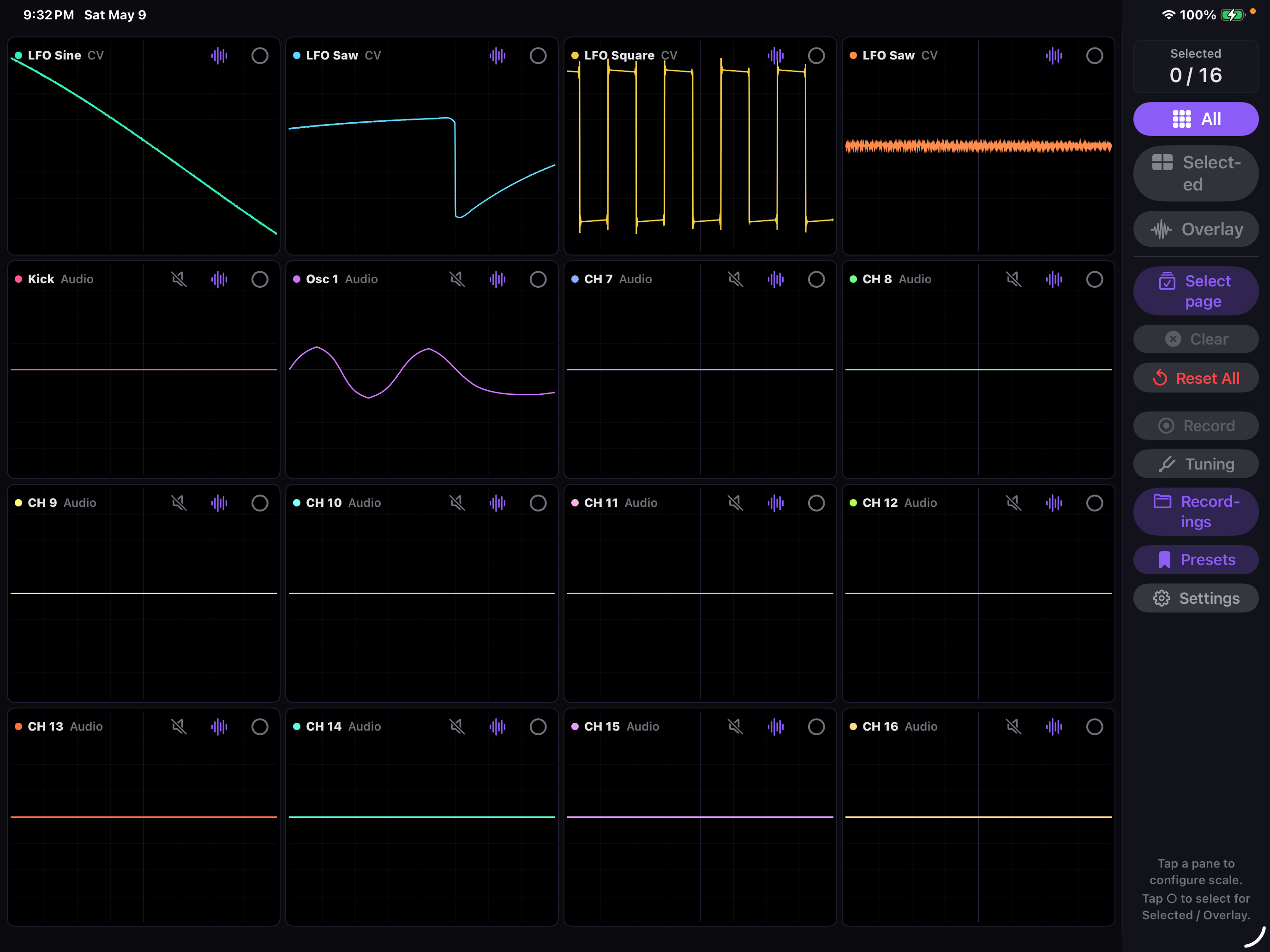
CVOsc on iPad showing a 16-channel oscilloscope grid with CV and audio waveforms
CVOsc iOS per-channel configuration sheet with signal type, range, and offset controls
CVOsc iOS recordings panel listing captured per-channel sessions for playback

// Screenshots — Android

CVOsc on Android showing the 16-channel oscilloscope grid and control sidebar
CVOsc Android channel settings with CV/Audio signal type, autoscale, range, offset, and time base
CVOsc Android recordings panel showing an ES-9 DC-coupled output and captured channels

// Open Source — Desktop / Developer Tools

LLM Usage Widget

Your Claude and Codex plan usage limits, always in view — in the Linux top bar, the macOS menu bar or the Windows taskbar, with a countdown to each reset.

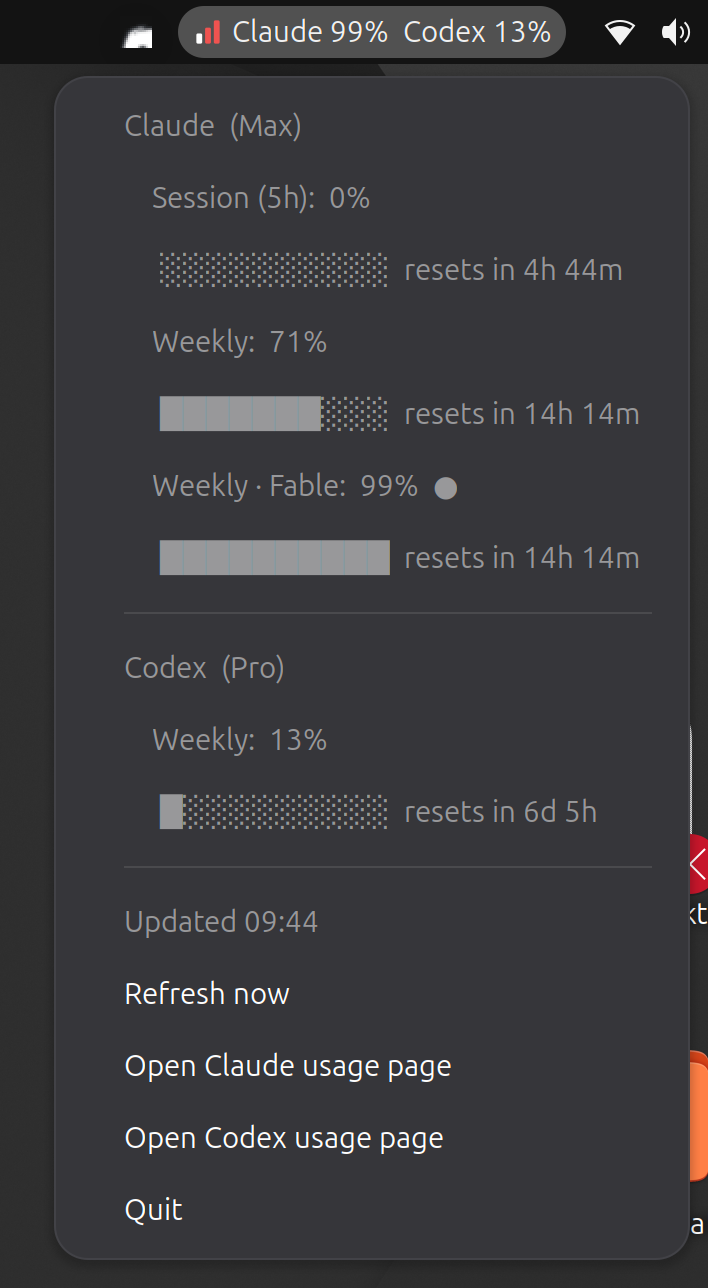
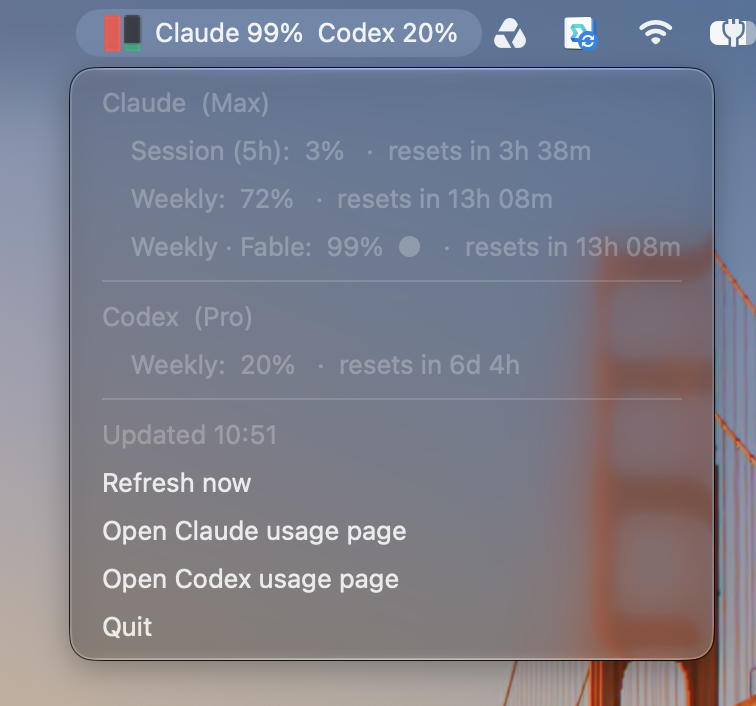
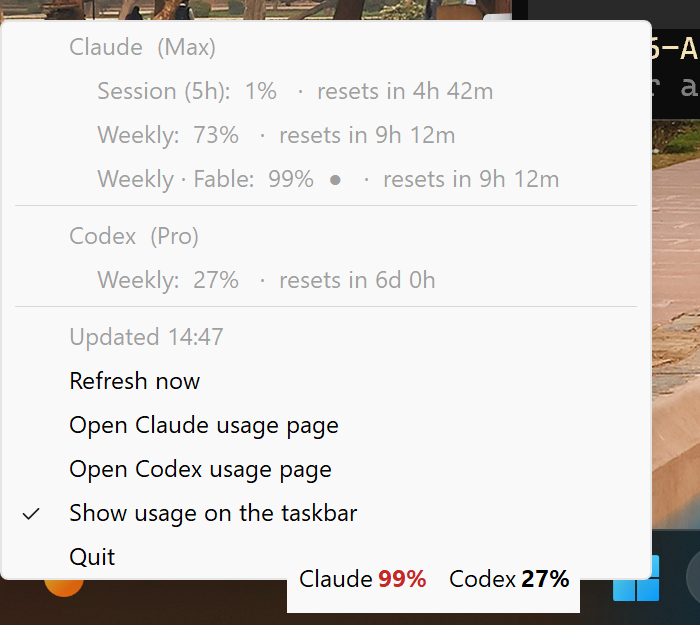
The widget sits where your system status icons live and shows a compact readout such as Claude 99%  Codex 13%. Click it for every limit — session and weekly windows and model-scoped limits — each with its percentage and time until reset, plus a refresh button and links to each provider’s usage page. Bars and icons turn amber at 70% and red at 90%; once a plan is maxed out and usage credits remain, the readout switches to what is left of those instead. There is nothing to configure: it reuses the logins Claude Code and the Codex CLI already store on your machine, only ever reading them, and sends each token only to the provider that issued it. Optional providers report spend and budgets for Amazon Bedrock, Google Vertex and Azure from your existing cloud credentials. A floating always-on-top window covers desktops without a tray, and Collapse to logo hides the numbers behind the Aleph Void ℵ₀ icon until you want them.

5
Providers
3
Desktop Platforms
0
Setup Steps
MIT
License
Python PyGObject AppIndicator pystray Pillow boto3 Inno Setup PowerShell

Key Features

Claude & Codex Limits
Session, weekly & model-scoped windows
Reset Countdowns
Time until each limit resets
Zero Configuration
Reuses existing CLI logins · read-only
Cloud Spend
Bedrock, Vertex & Azure budgets
Native Placement
Top bar, menu bar or taskbar
Installers
.deb · notarized macOS .pkg · Windows setup

Platforms: Linux (Debian/Ubuntu .deb; GNOME, KDE, XFCE, Cinnamon) · macOS (Apple Silicon & Intel) · Windows (x64 & ARM64)  —  requires a Claude Code and/or Codex CLI login.

// Screenshots — Linux, macOS & Windows

LLM Usage Widget in the Ubuntu top bar with its menu open
LLM Usage Widget in the macOS menu bar with its menu open
LLM Usage Widget on the Windows taskbar with its menu open